Client Portal and AI Connector for a Video Production Studio
One place for every client, from the first message to the final invoice. And clients can check in from their own AI assistant.
The Situation
A small video production studio in Australia shoots and edits brand films, reels, stills and event coverage for local businesses. Four people: two who run the business and two editors who do the cutting.
The work itself was going well. The admin around it was not. A single client might need twenty reels, and every one of them had its own round of feedback, its own due date and its own version history. Inquiries came in through the website, Instagram DMs, WhatsApp, email, phone calls and conversations at shoots.
The studio already had good tools for the creative side. What it did not have was one place where the business lived: who is a lead, who is a client, what is due, what is waiting on whom, and what the client has actually seen.
The Problem
Inquiries were written down in six different places, so some were followed up late and some not at all. Nobody could say how many open leads there were without asking around.
Signing a new client meant the same pile of manual steps every time: collect their details, write up the deliverables, raise the deposit invoice, send the contract, chase the signature, set up a shared folder, and send a welcome email.
Feedback lived in long email threads. Client notes got lost between versions, and nobody could say for certain which comments had been fixed. Internal notes and client-facing messages sat side by side, so there was always a small risk of the wrong thing being forwarded.
Clients had no single view of their own work either. To find out where a job was, they emailed or texted, and the studio stopped what it was doing to answer. When the studio needed something from the client, a sign-off or a reply, it waited, then chased.
The whole thing ran on memory and goodwill, and it got harder with every new client.
The Solution
We built the studio its own client portal: one app with two doors. The studio side is where the team runs the business. The client side is where each client sees their own work and nothing else.
The portal also runs its own AI connector. The team can connect it to their own Claude or ChatGPT and run much of the day from chat. Clients can connect their own assistant too, and get a short "here is what is waiting on you" summary each morning, with the option to reply without opening the portal.
The whole system follows two rules.
Internal stays internal. Everything written inside the studio is private by default. Internal notes, editor discussions, quotes, draft invoices and other clients are never visible to a client. This is built into the foundations, so a mistake on a screen can hide something from a client but can never show them something they should not see.
A person decides what reaches the client. Sending a message, releasing a cut for review and marking work complete are always deliberate clicks by someone on the team. No automation and no AI tool can do them on the studio's behalf.
Here is how the portal follows a client from first contact to final review.
Phase 1: Every inquiry in one place
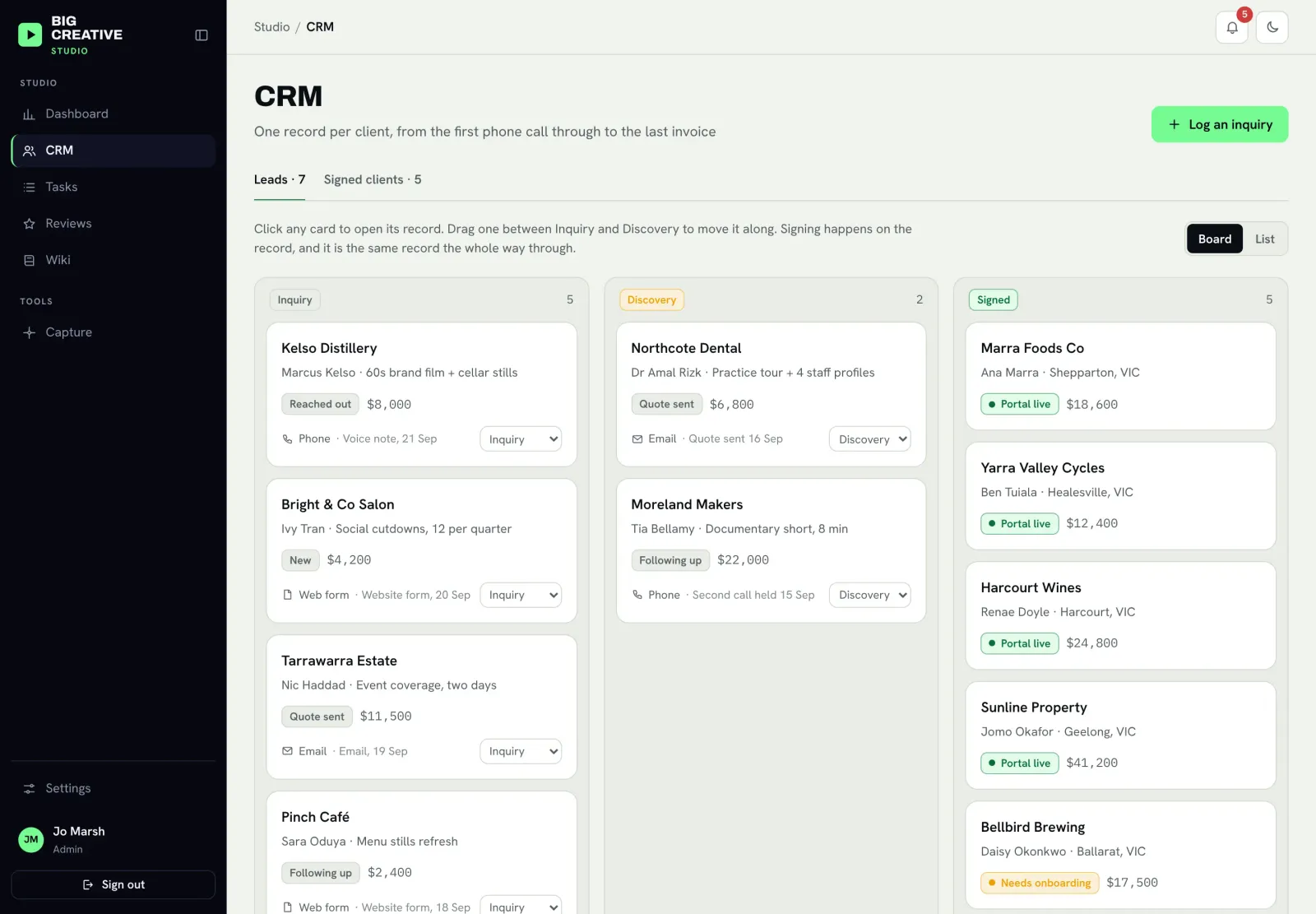
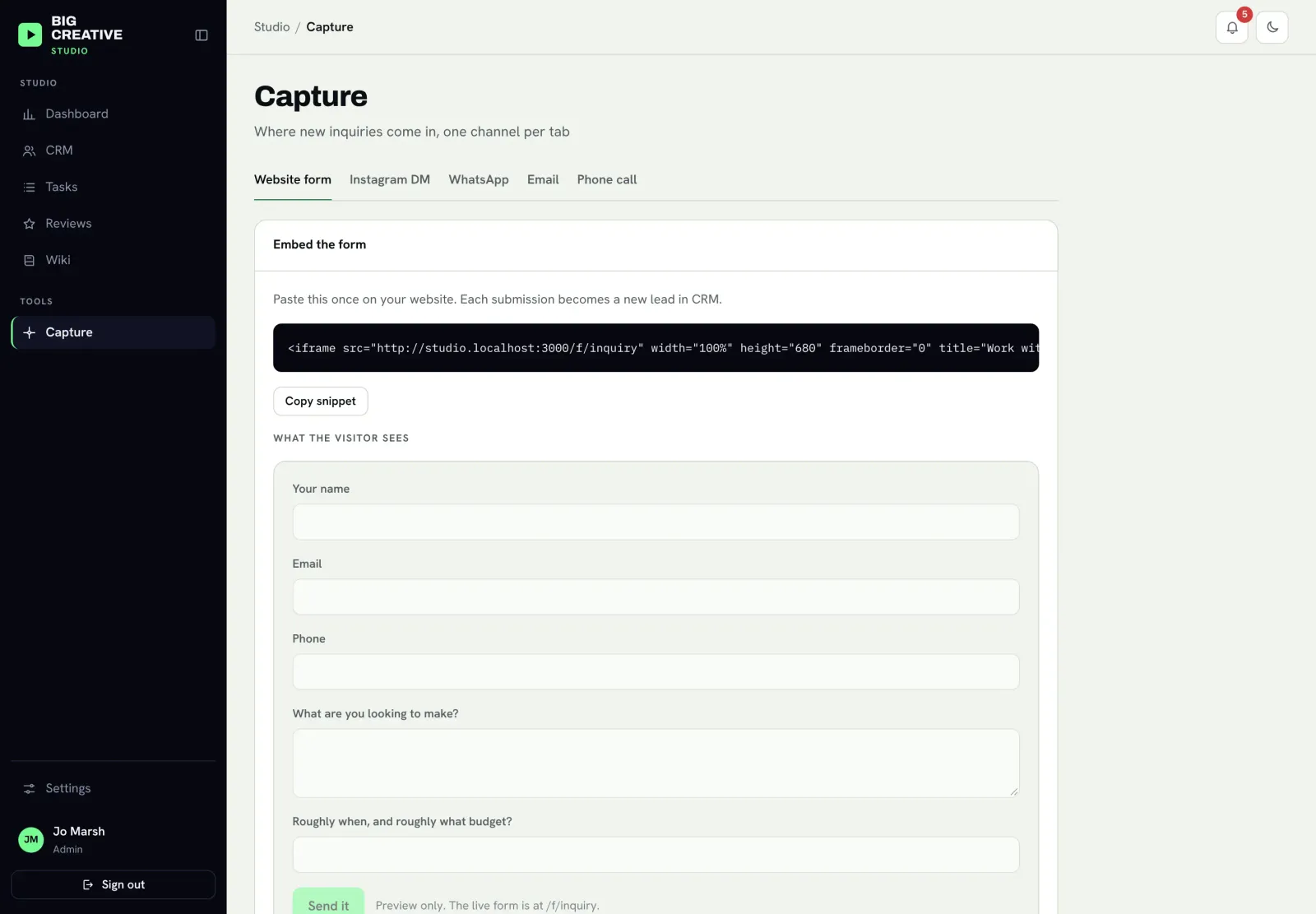
Every new lead lands in one pipeline, wherever it came from.
- Website inquiry form: a short form the studio embeds on its own website once. Every submission arrives in the CRM as a new lead, and the person gets a friendly automatic reply with a link to book a discovery call.
- Capture from chat: for DMs, WhatsApp messages, emails and voice notes, a team member hands them to their own AI assistant ("log this inquiry"). It files the lead in the same pipeline and checks with them before saving anything.
- One record per client: a lead and a client are the same record. Nothing is retyped when they sign, and their whole history (calls, notes, emails, documents) stays with them.
- Lead pipeline: a simple board showing every lead by stage, who owns it, and what happens next.
Phase 2: From "yes" to a live client in one button
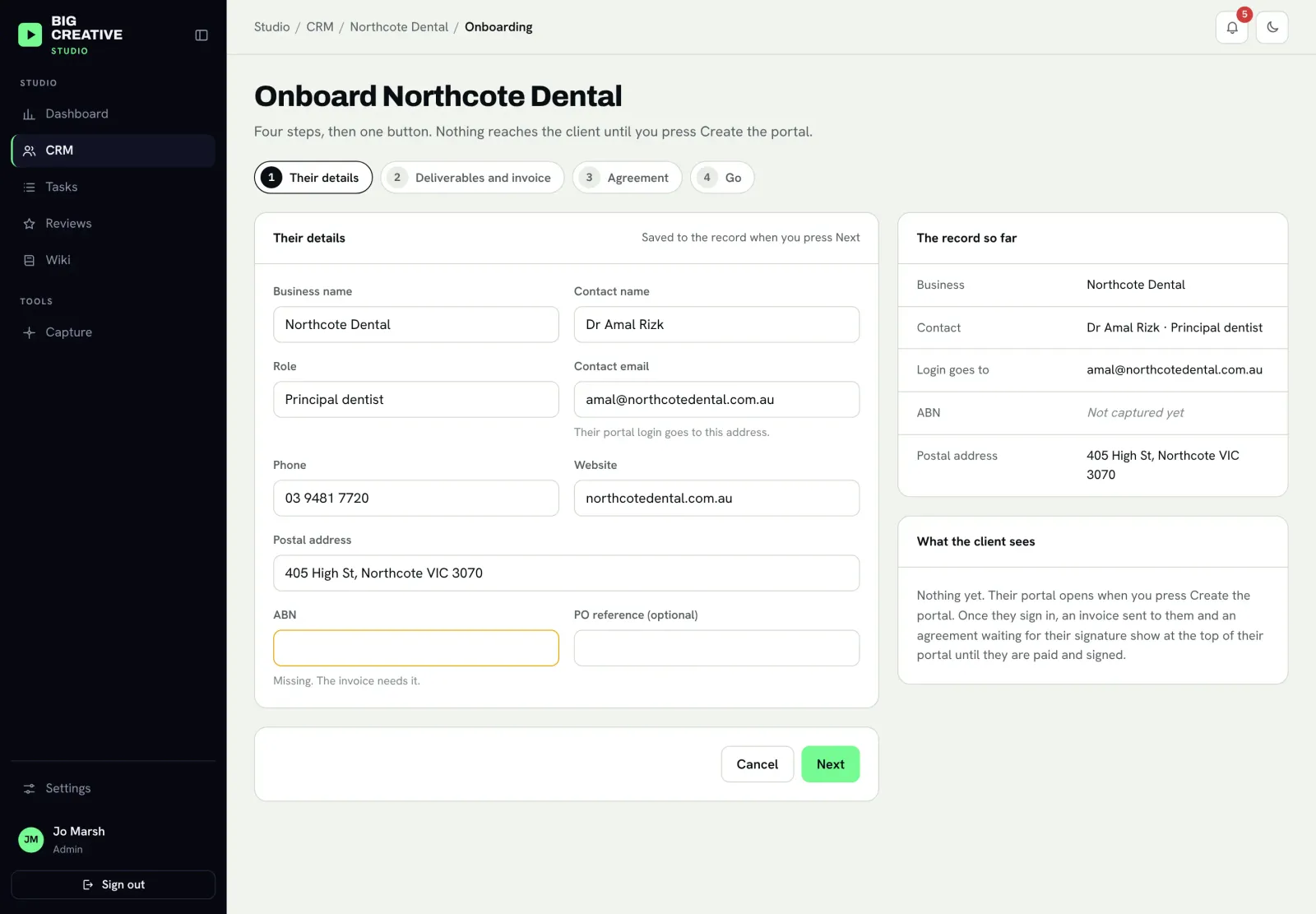
Signing a new client used to take an afternoon of admin. Now it is a short guided flow.
- Their details: pre-filled from the record. The studio only fills the gaps the invoice needs.
- Deliverables and invoice: list what the client is paying for. Each item becomes a task on the board and a line on the deposit invoice.
- Agreement: the studio's own services agreement, generated from its standard terms. The studio signs first, then it goes to the client to sign online. No separate e-signature subscription.
- Go: one button creates the client's portal login, sends the deposit invoice through the studio's accounting software, sends the agreement for signature, and sets up the task board.
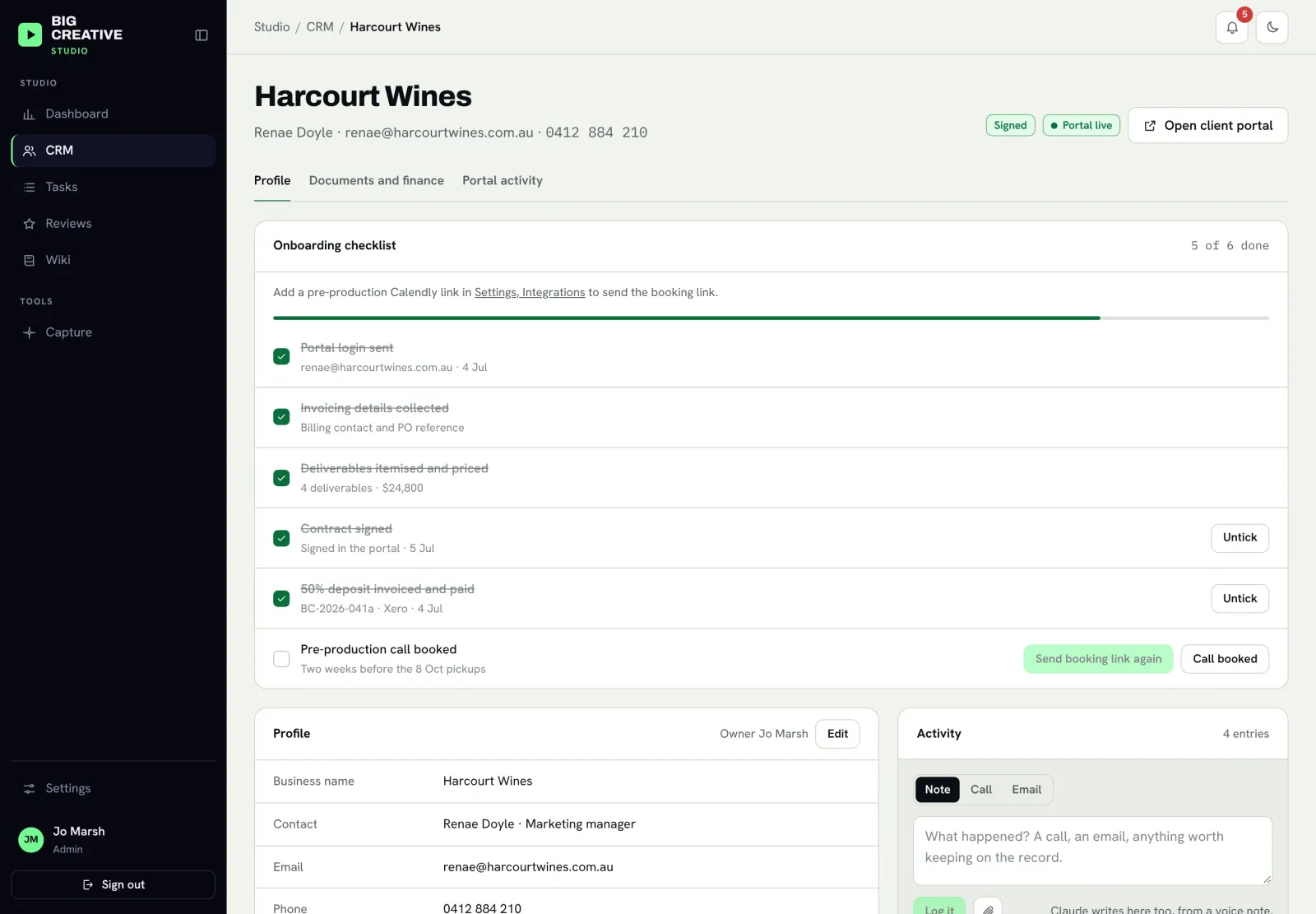
- "Before we start": when the client logs in for the first time, anything waiting on them (an invoice to pay, an agreement to sign, a pre-production call to book) sits at the top of their portal until it is done.
- Onboarding checklist: both sides see the same checklist (login sent, details collected, contract signed, deposit paid, pre-production call booked), so nothing falls through the gap between "signed" and "shoot day".
Phase 3: One task per deliverable
Post-production runs like a project board, not a chat thread.
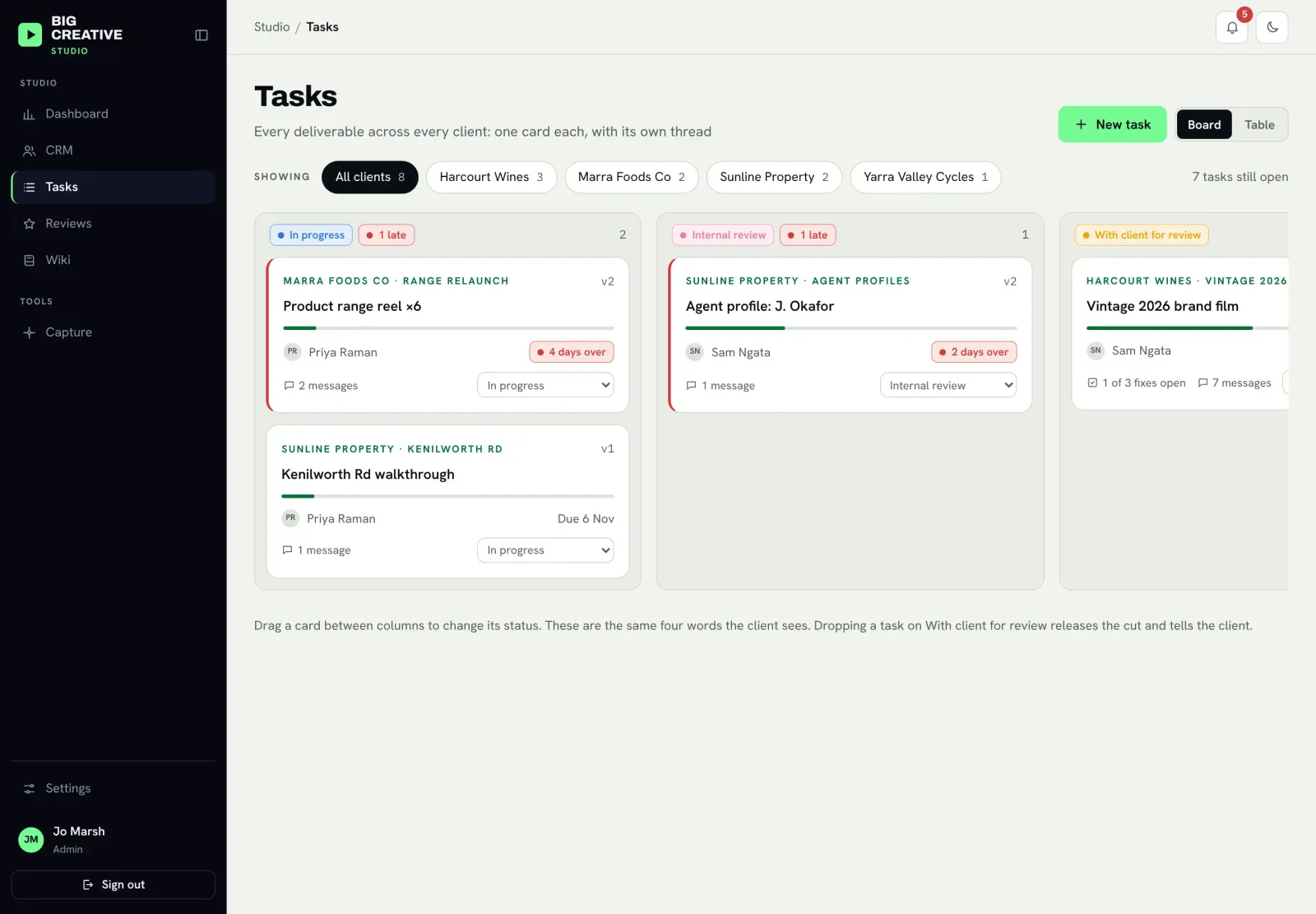
- One task per deliverable: twenty reels is twenty tasks, each with its own editor, reviewer, due date and status. The board shows every client at once and filters to one client with a single click.
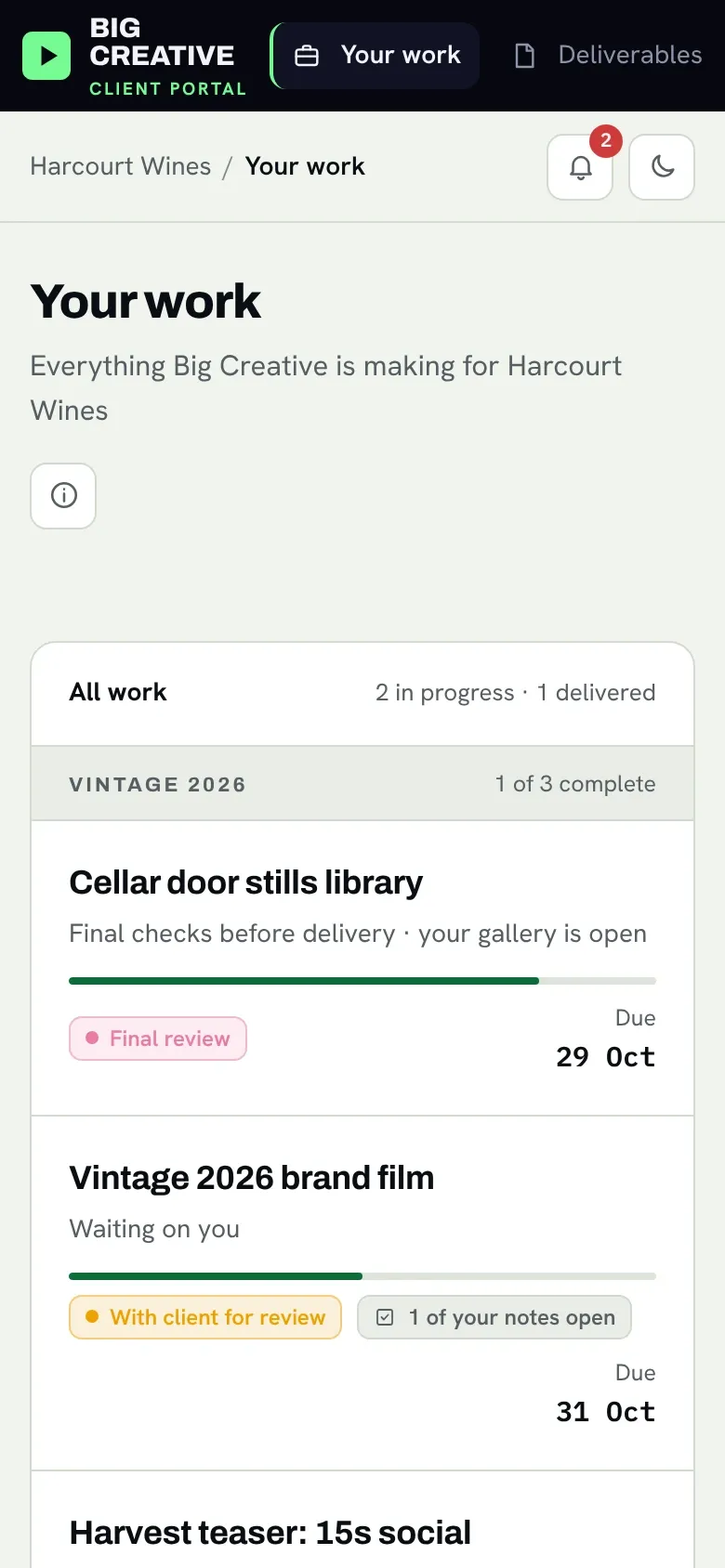
- Clear statuses, the same on both sides: In progress, Internal review, With client for review, Replying to client's messages, Final review, Approved, Complete. The client sees exactly the same words the team does.
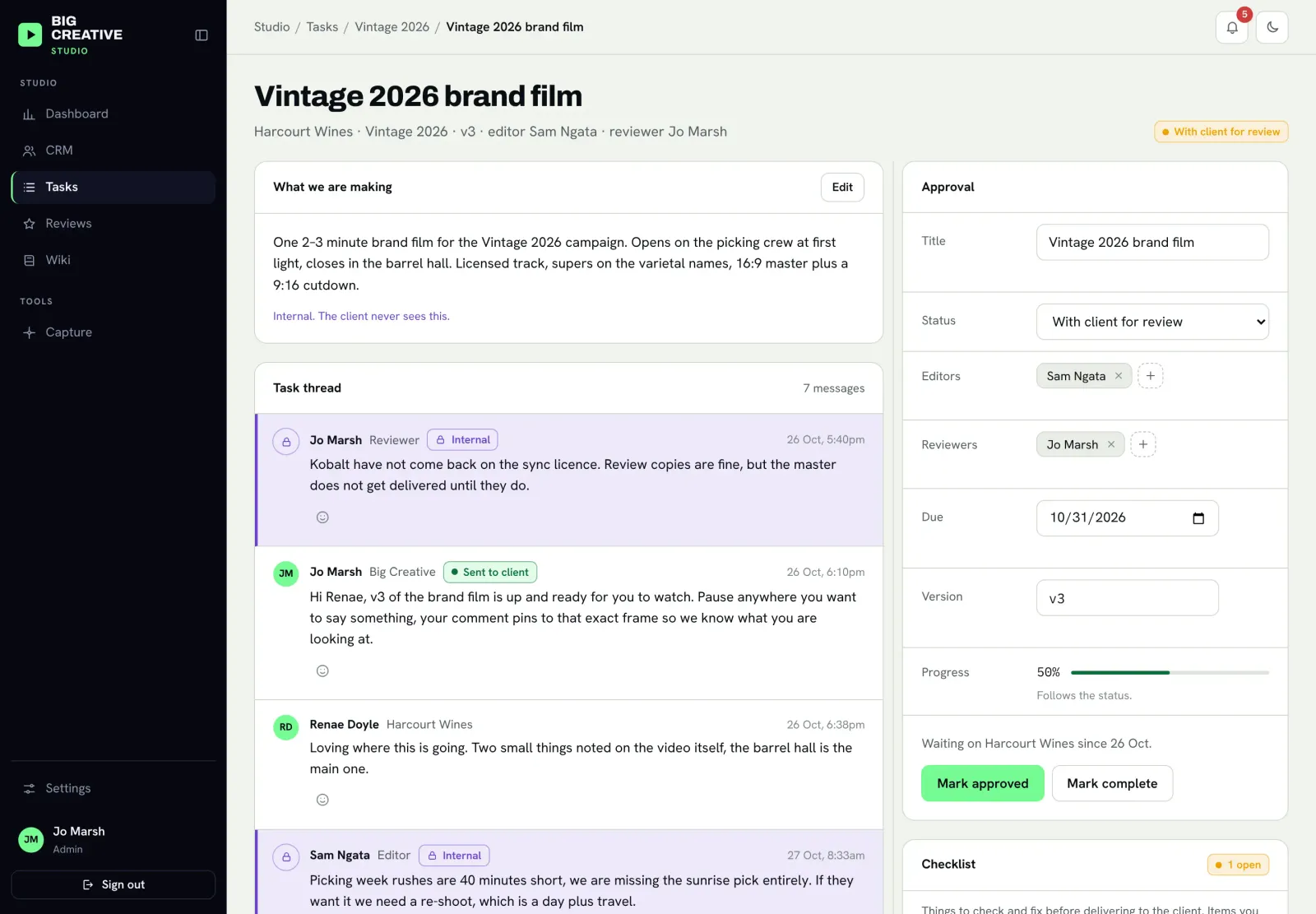
- A thread on every task: the team talks about the work in one place. Messages are internal by default. When the team is ready to say something to the client, they tick Send to client on that one message.
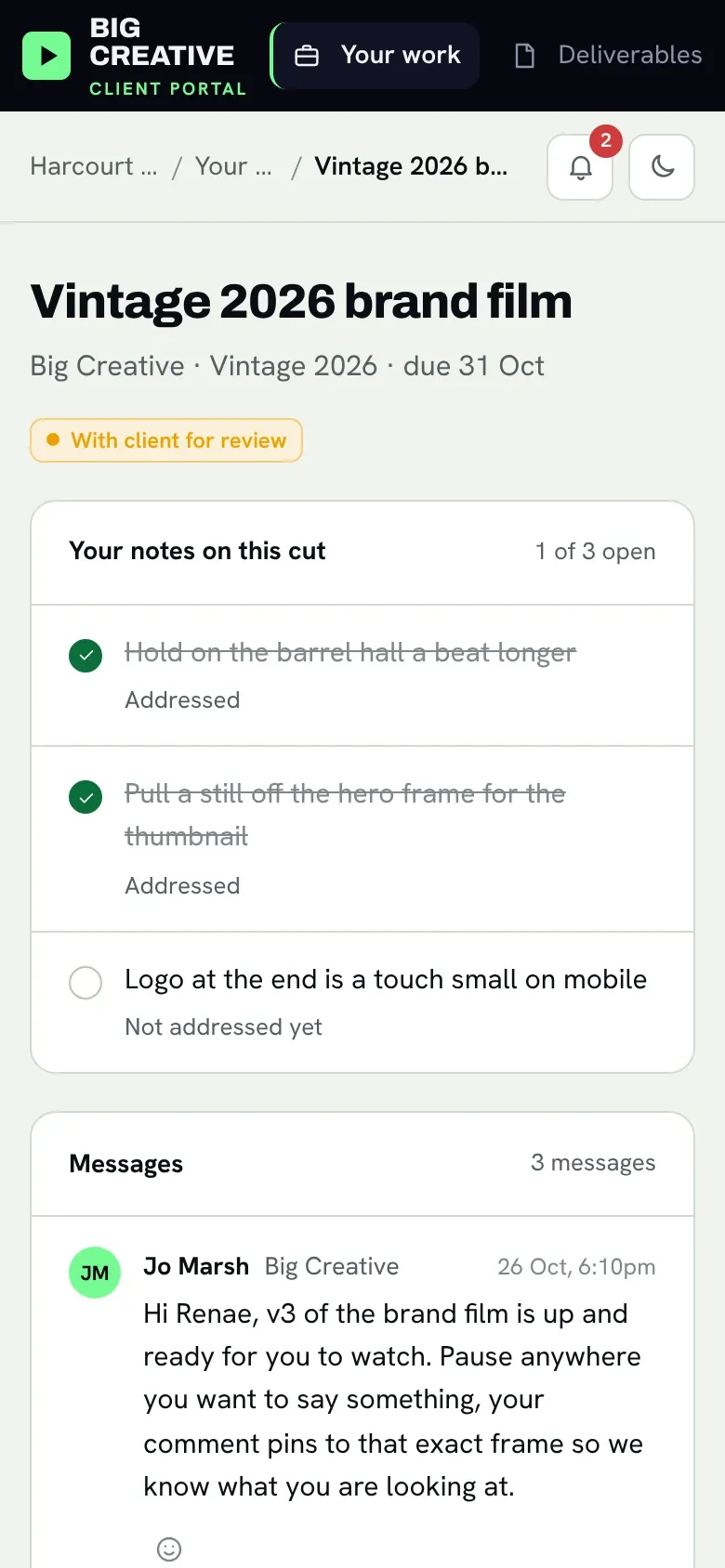
- A checklist from client notes: each note a client leaves becomes a checklist item. The team ticks them off, and the client sees which of their notes have been addressed.
- Approvals built in: only a reviewer or an owner can send work to the client, approve it or mark it complete. Overdue work is flagged automatically, on both sides.
Phase 4: Review, release and delivery
Getting a cut in front of the client is now a single, deliberate step.
- Cuts from Google Drive: editors pick the review export from the job's Drive folder and the portal makes a private copy for the client to watch. Master files stay in Drive.
- Watch and comment in the browser: the client plays the cut and leaves notes beside it. No downloads, no attachments, no email chains.
- Release: moving a task to "With client for review" is what makes the cut visible and notifies the client. Until then, nothing leaves the studio.
- Final deliverables: once a task is approved, the final files or Drive links appear for the client in one place.
Phase 5: A portal clients actually use
The client side is deliberately simple. It answers the questions clients used to email about.
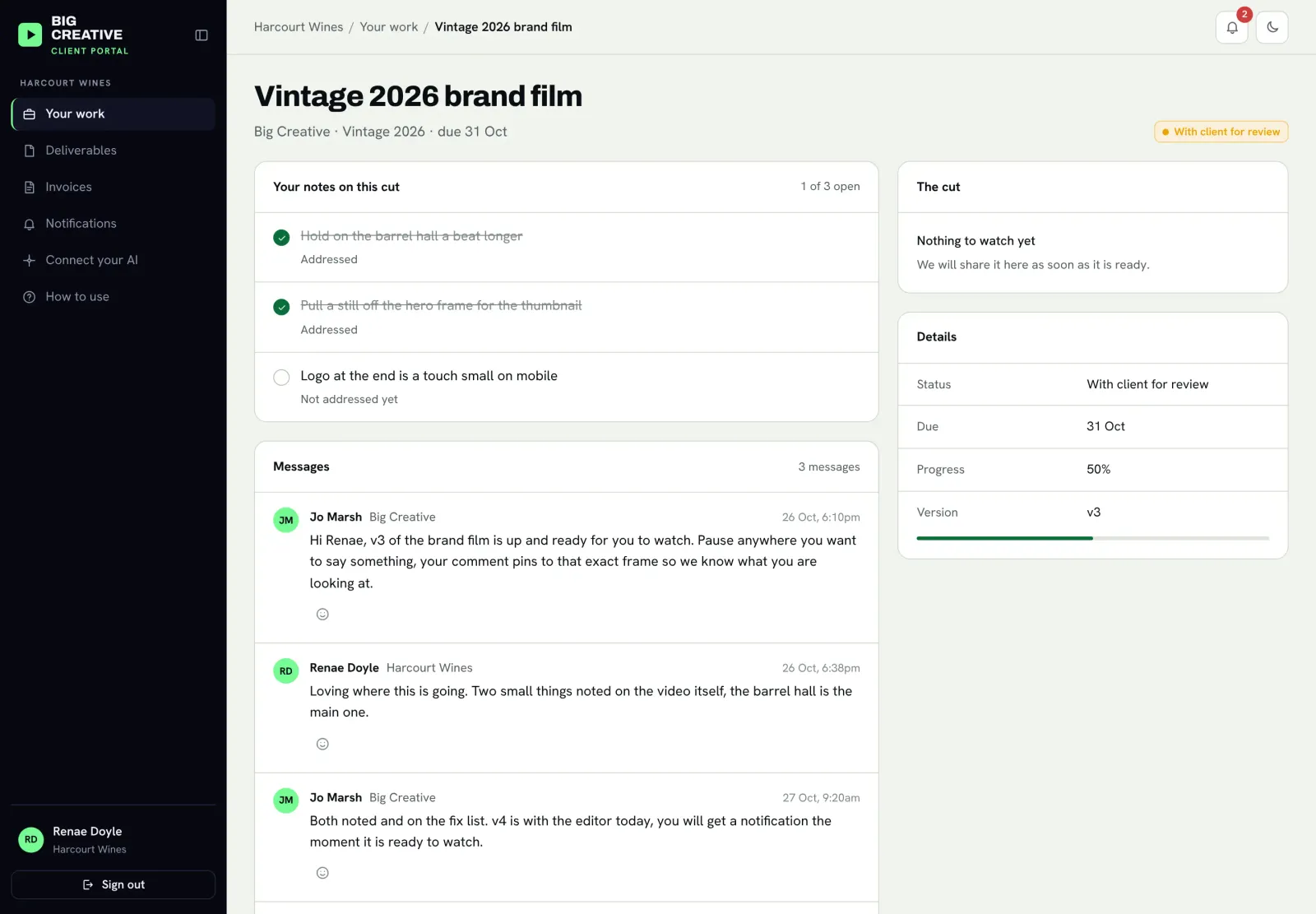
- Your work: every job, its status and its due date, with anything waiting on the client shown first.
- Deliverables: every final file the studio has delivered, in one list.
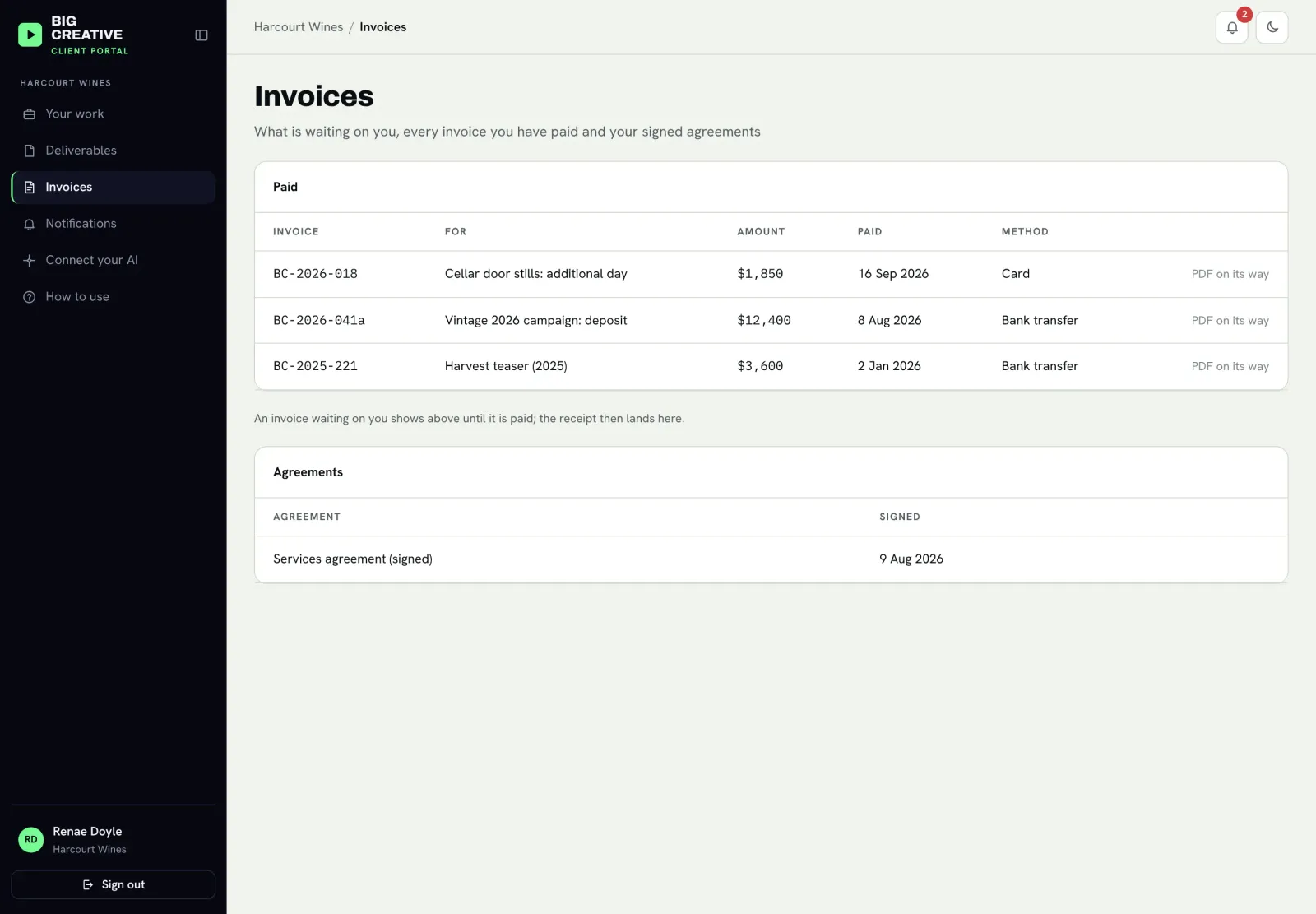
- Invoices and agreements: invoices to pay, invoices paid, and every signed agreement, available at any time.
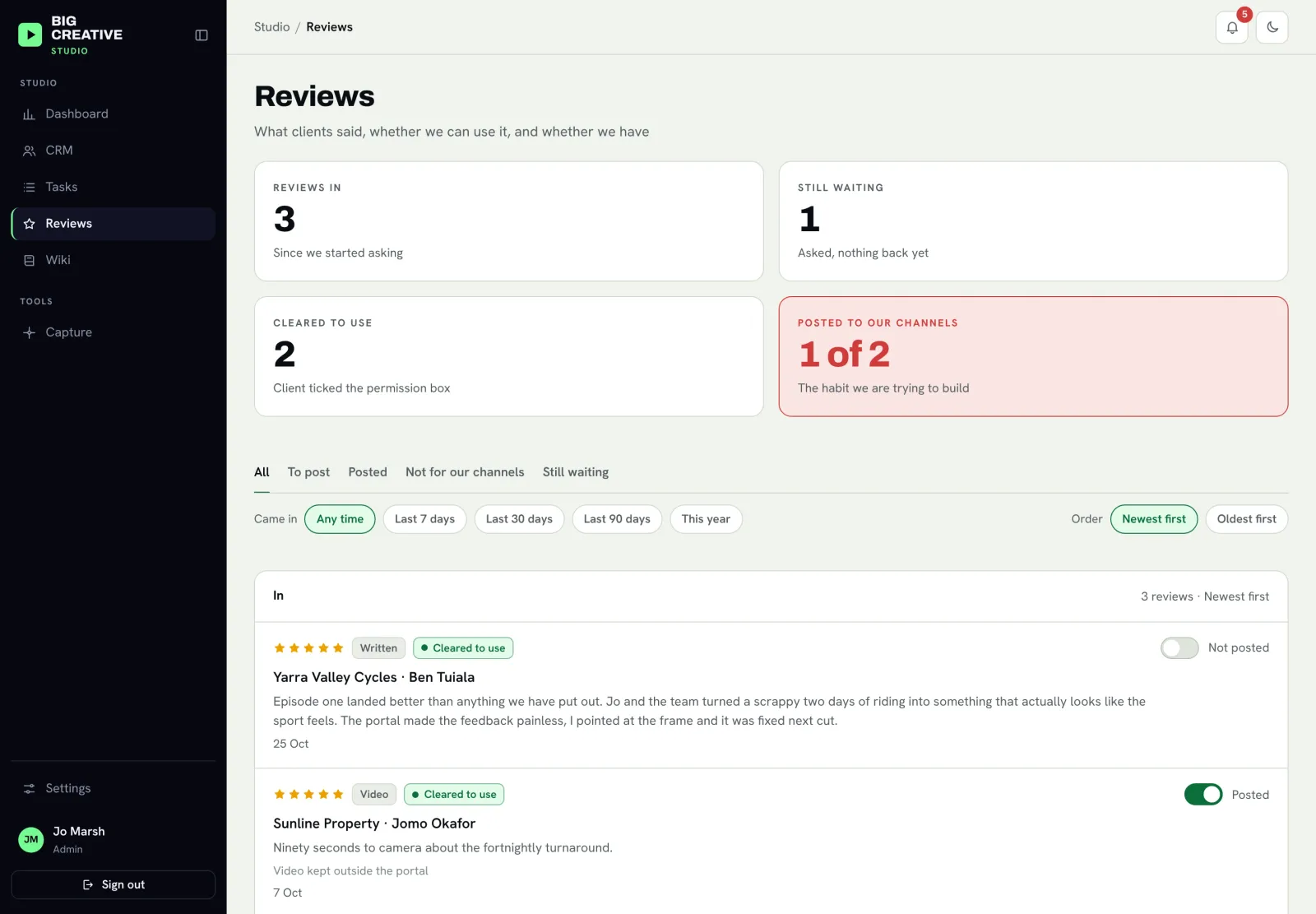
- Reviews: when a job is marked complete, the client is asked how it went. They can write a review or upload a video testimonial and tick whether the studio may use it. The studio sees every review on its own page and tracks which ones it has posted.
- Works on a phone: every screen works on mobile, in light and dark mode.
Phase 6: Run it from chat
This is the part that sets the portal apart. Clients do not live in portals. They live in their inbox and, more and more, in their AI assistant. So the portal meets them there.
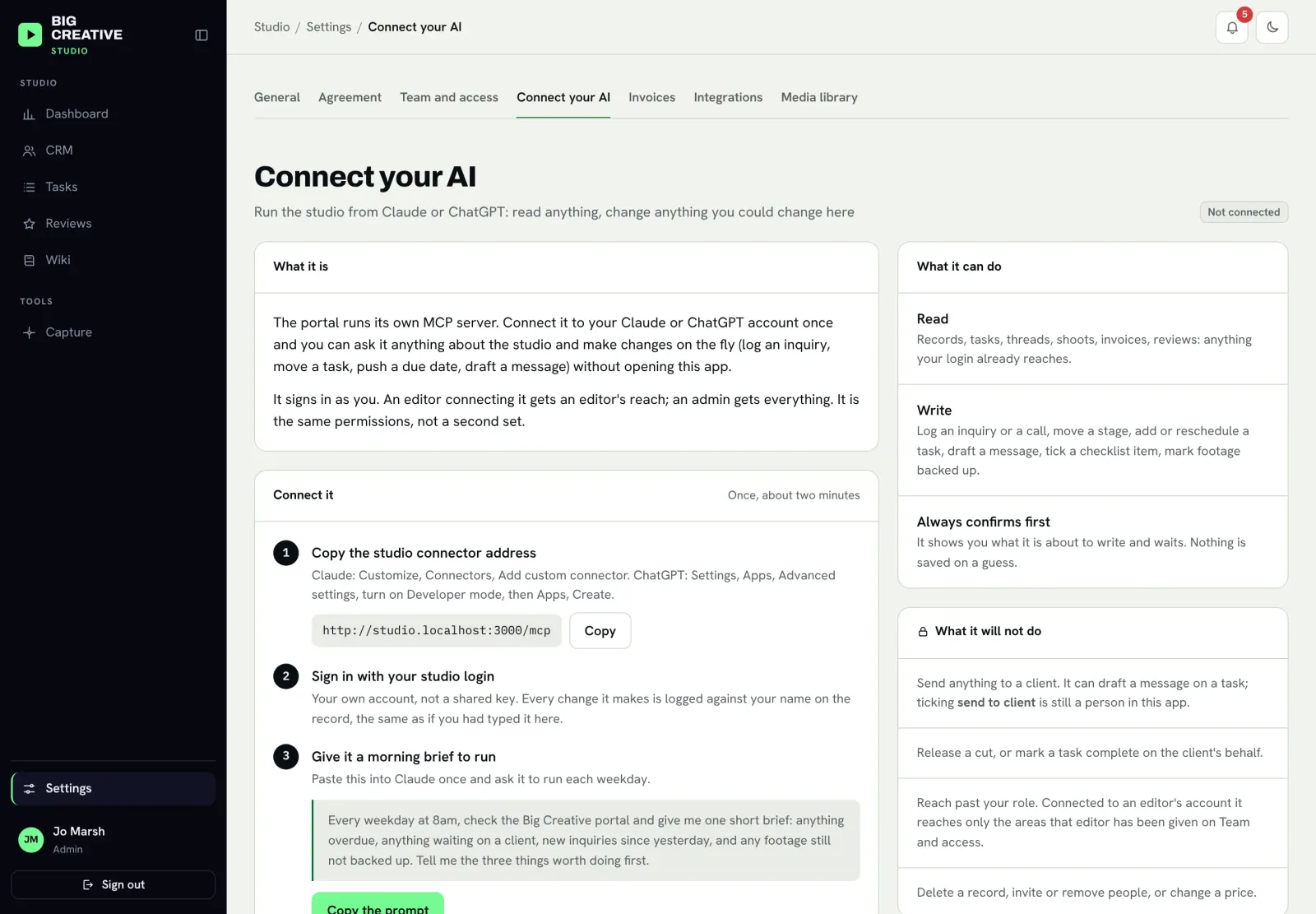
- For the team: each person connects the portal to their own Claude or ChatGPT. They can ask "what is due this week?", log an inquiry from a voice note on the drive back from a shoot, move a task, push a due date, or get a morning brief of what needs doing.
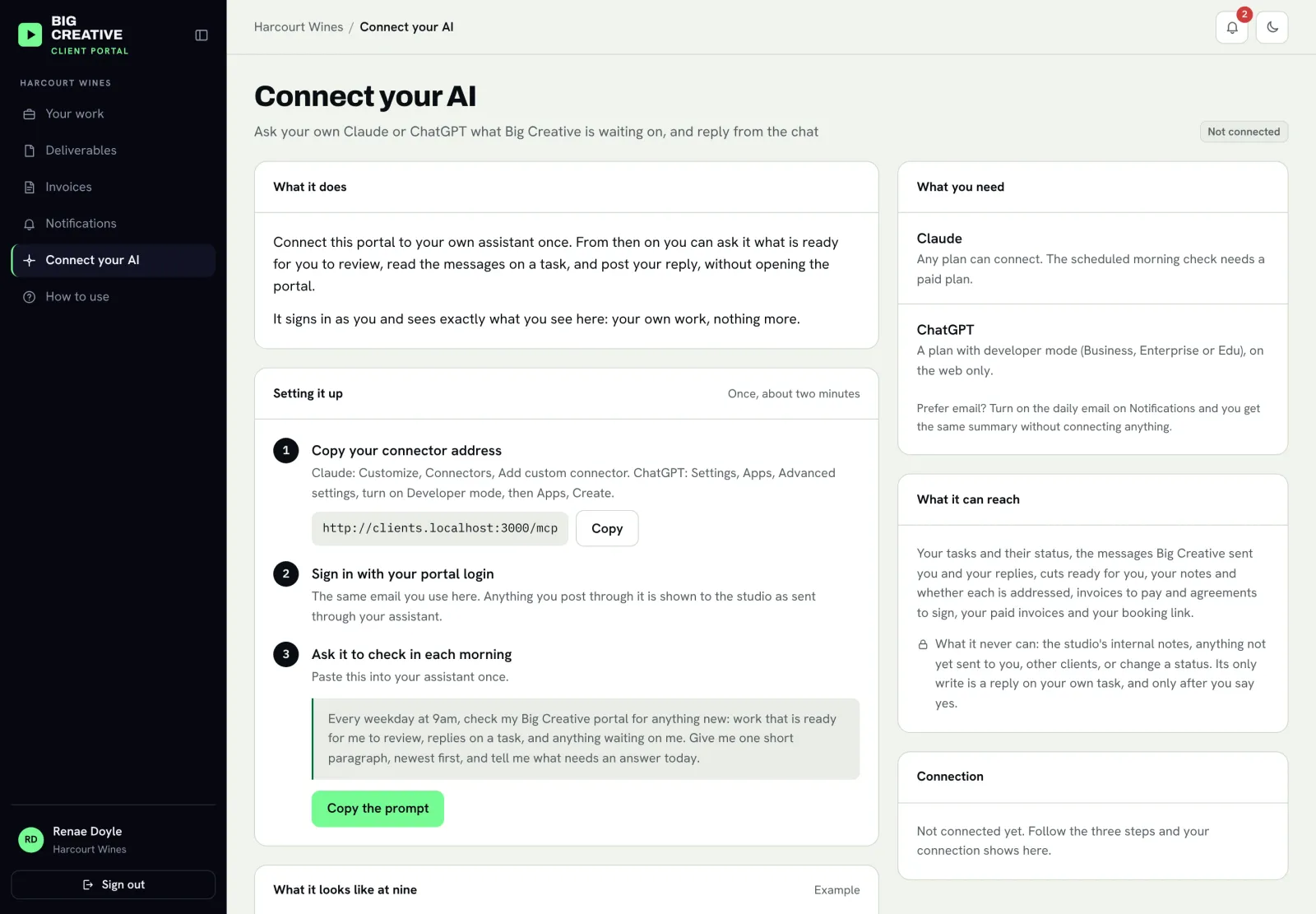
- For clients: a client connects their own assistant once. Each morning it tells them what is waiting on them, and they can reply on a task straight from the chat. Their reply lands in the studio's thread, marked "via Claude".
- Same permissions, always: the assistant can only see and do what that person can see and do in the portal. An editor's assistant cannot read invoices, because the editor cannot.
- Nothing saved on a guess: every change made through an assistant is shown first and only saved once the person confirms. Releasing work, messaging a client and marking work complete stay with people, on purpose.
Underneath it all
- Accounting connected: invoices are created and sent through the studio's accounting software, and payments flow back to the portal automatically.
- Email from the studio's own domain: welcome emails, invoices, agreement requests, thank-yous and review requests all come from the studio's own address.
- Everything updates live: when a client replies, the team sees it without refreshing, and the other way round.
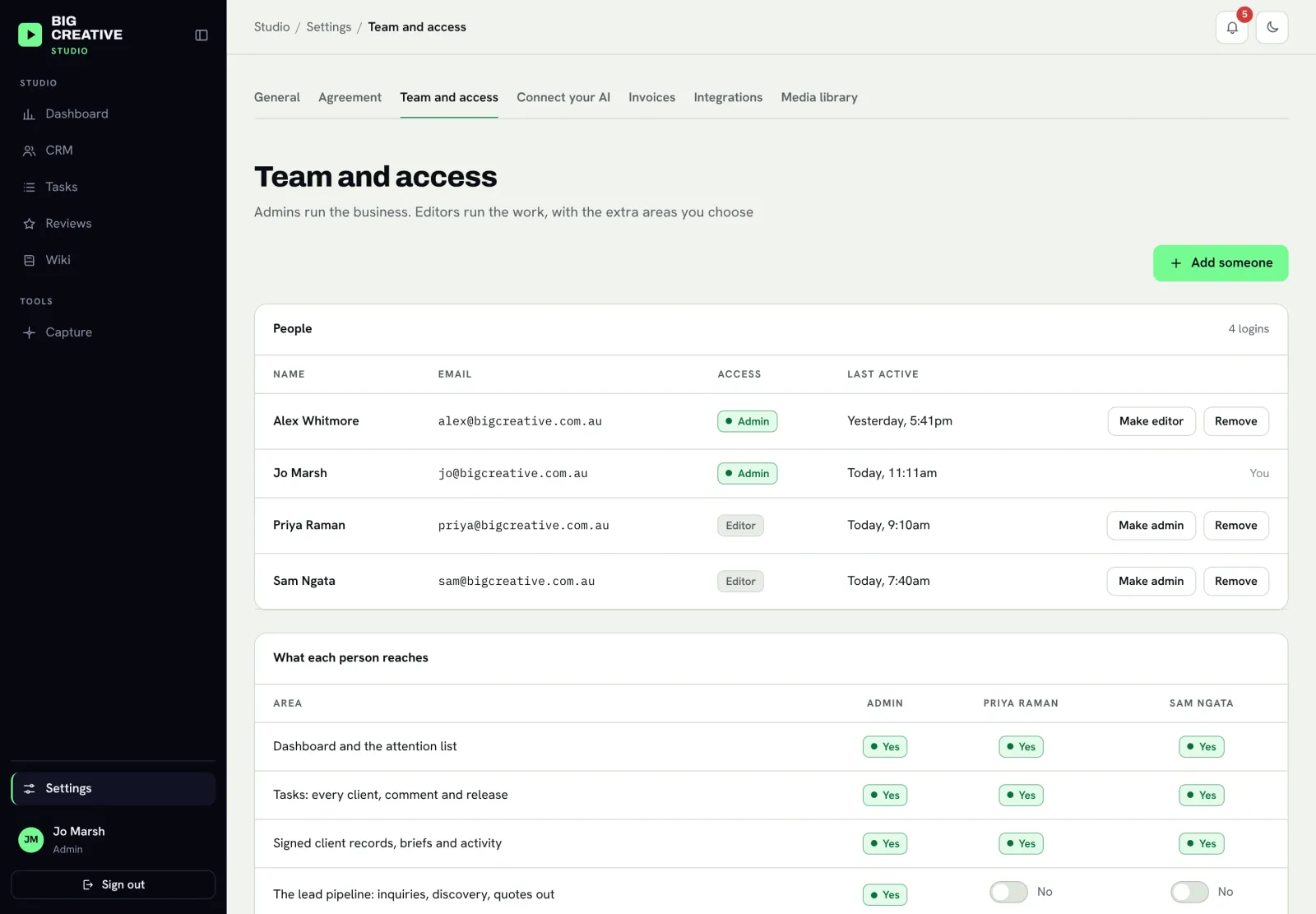
- Team access: owners see everything. Editors see the work they need and nothing else, with per-person switches for extra areas.
- A built-in wiki: the studio's own how-we-work notes, with selected pages shared to clients as a "how to use your portal" guide.
The Results
The studio now runs from one place. Every inquiry lands in the same pipeline, whichever channel it came from, so leads are followed up on time instead of from memory.
Signing a client went from an afternoon of copying details between tools to a short guided flow and one button. The login, the deposit invoice and the agreement go out together, and the client's first login shows them exactly what to do next.
Feedback has a home. Each deliverable has its own thread, client notes turn into a checklist, and everyone can see what has been fixed. The team discusses work freely, knowing internal notes cannot reach a client by accident.
Clients stopped asking "where is my job at?" because the answer is always in their portal. Anything waiting on them is the first thing they see, and if they connect their own assistant, they hear about it each morning without logging in at all.
Two things stay visible the whole time. The dashboard shows what needs attention today: overdue work first, then work waiting on a client, then open client notes. And every change carries a name and a time, including the ones made from chat, so the team always knows who did what.
How It Worked
Before: an inquiry arrived by DM, was screenshotted to someone's phone and maybe followed up. Signing a client meant collecting details by email, building an invoice by hand, sending a contract through a separate service and chasing the signature. Feedback on twenty reels lived in twenty email threads. Clients texted to ask what was happening, and the studio texted back. Nothing was tracked in one place.
After: the whole journey, from first message to final review, runs through the portal, with a person making every decision that reaches the client.
- Inquiry captured. The website form or the team's assistant files every new lead in one pipeline and sends a friendly reply with a booking link.
- Client onboarded. A short guided flow, then one button sends the login, the deposit invoice and the agreement, and builds the task board.
- Work tracked. Each deliverable has its own task, thread, editor, reviewer and due date, with statuses both sides understand.
- Cut released. A reviewer releases the cut. The client watches it, leaves notes, and each note becomes a checklist item for the team.
- Work delivered. Approved work shows its final files to the client, and completing the job asks the client for a review.
- Everyone kept in the loop. The team and the client can check in and reply from their own AI assistant, and every change is logged with who made it.
Want a System Like This?
If you run a studio, an agency or any service business where clients wait on you and you wait on them, and the work lives in inboxes, spreadsheets and memory, this is the kind of system we build.
A client portal with your own branding, a CRM that follows each client from first message to final invoice, onboarding in one button, connected invoicing and agreements, and an AI connector so your team and your clients can work from the chat they already use. Built around how your business actually runs.