Automated Funnel Builder + Meta Ads Scheduling System
One form in, a live funnel and a paused Meta campaign out
**One form in, a complete sales funnel and a ready-to-run Meta campaign out.
The Situation
A company that runs large virtual summits for hobby and craft communities grows by finding the next topic people will sign up for. Before committing months of speaker outreach and production to a summit, the team runs a small paid test: a registration page, an upgrade offer, a checkout and a thank-you page, with a few days of Meta ads pointed at it. If enough people register at a good price, the summit goes into planning. If not, it goes on hold.
The idea works. The cost of each test was the problem.
The Problem
Every test meant the same pile of manual work. Someone copied the last funnel, rewrote every headline and paragraph for the new topic, found or made images, created the products in the CRM, set up the checkout, wired up tracking, wrote the ads, and built the campaign in Ads Manager by hand.
That took days per topic, so only a few topics were ever tested. Small mistakes slipped through: a page that still mentioned the old topic, a tag missing in the CRM, a pixel that did not fire, an ad set scheduled in the wrong time zone because the team works across continents.
And because so many hands touched live pages and live ad accounts, there was always a risk of something going public or spending money before anyone had checked it.
The Solution
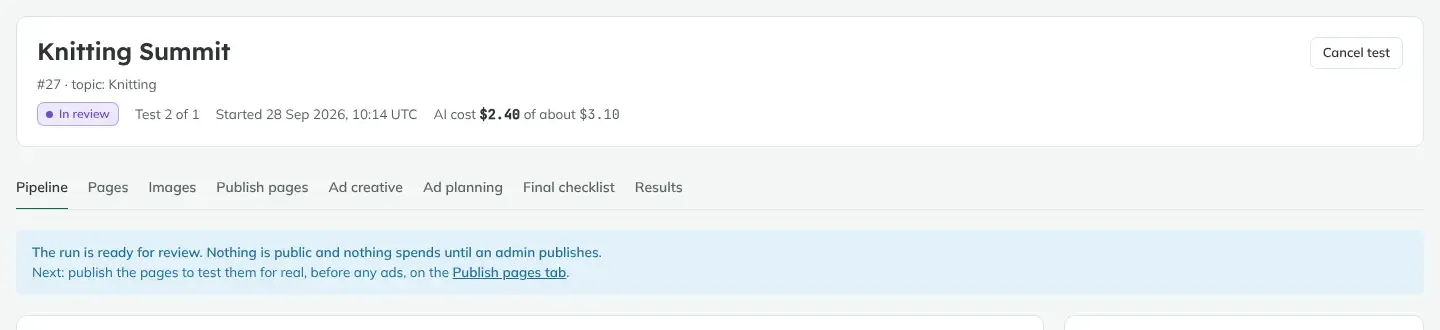
We built an internal web app that does what an employee would do by hand. A team member fills in one form with a topic. The app writes the funnel, makes the images, writes the ads, sets up the products and builds the Meta campaign. Then it stops and waits for one review.
The system follows two rules.
Nothing goes public and nothing spends until an admin publishes. Pages stay private previews. Every Meta campaign is created paused. Publishing the pages, turning the ads on and calling a result are admin-only, checked on the server, not just hidden in the interface.
AI fills in slots, it never rewrites the design. Each funnel comes from a proven training set of pages. The AI writes the words and images for marked slots, and every answer is checked against a strict format before it is saved. The layout, prices and guarantees stay exactly as they were.
Phase 1: One form starts the test
- Topic in, test out: the form asks for the topic and a few choices (training set, budget, publish address). Background jobs take it from there.
- Live progress: each step (pages, images, ads, products) shows its progress in place, live, with no page reloads.
- Cost shown up front: the app estimates the AI cost before the run and shows the real cost as it goes. A full test costs a few dollars of AI.
Phase 2: AI writes the funnel and the images
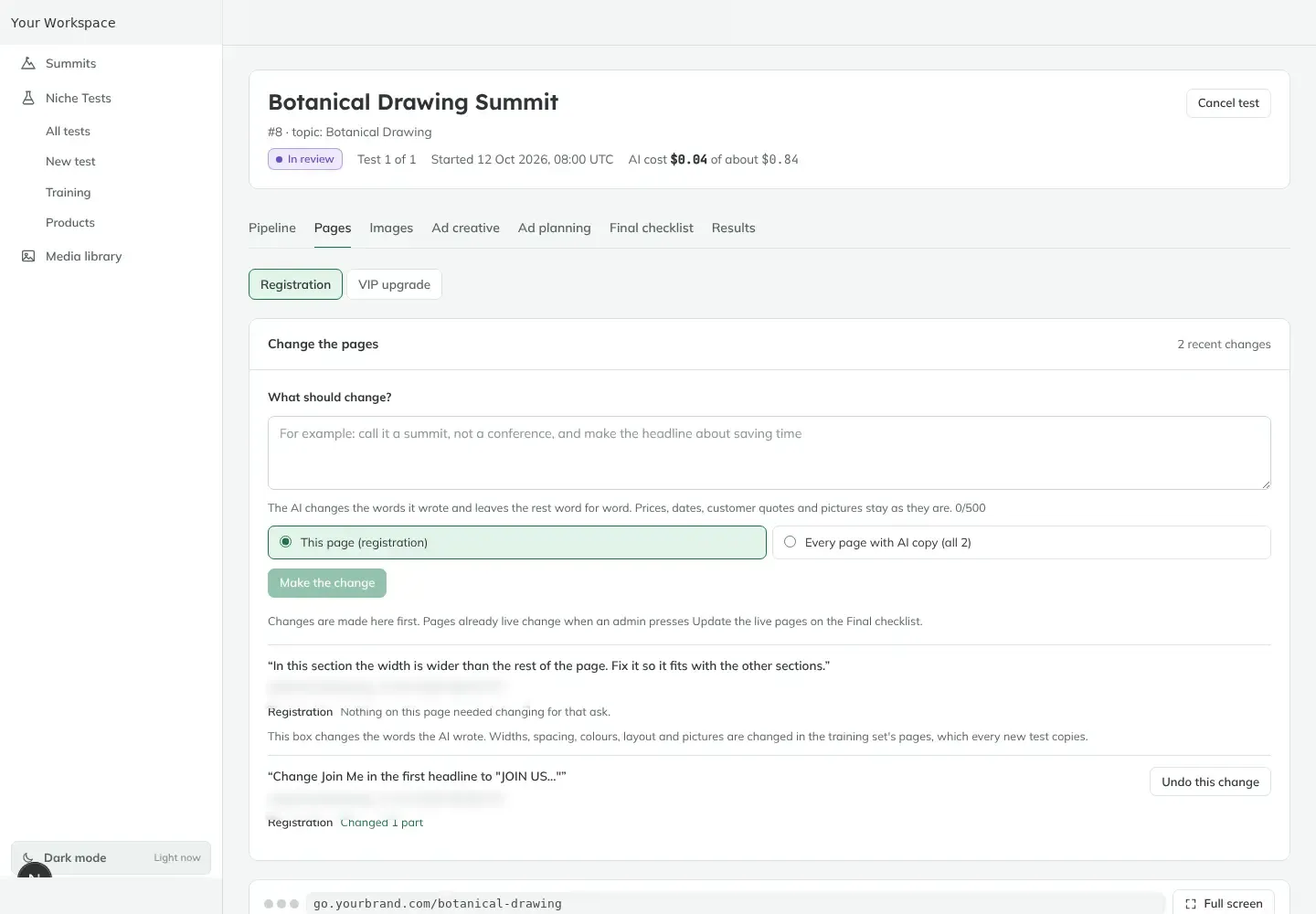
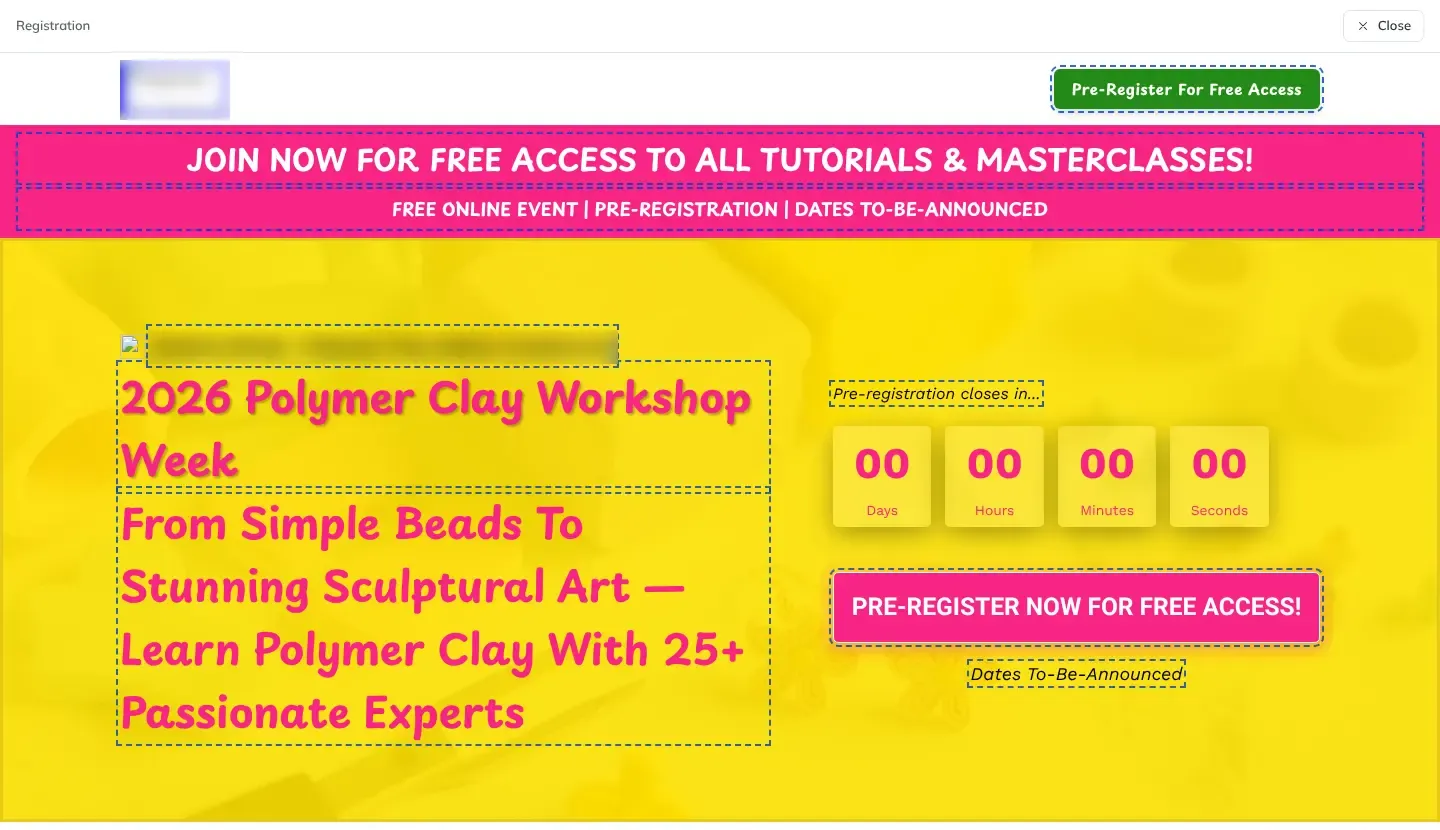
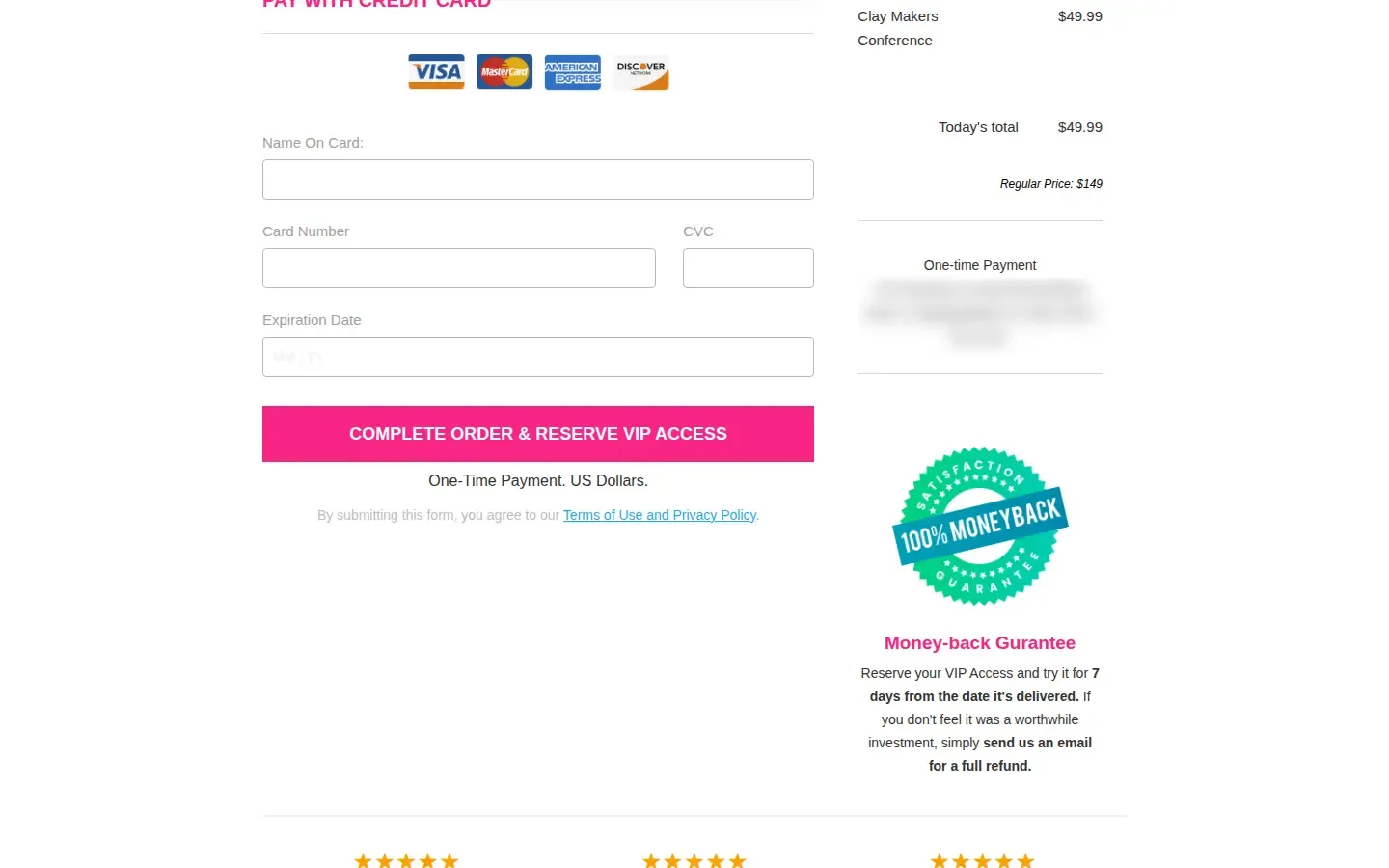
- Four pages per test: registration, VIP upgrade, checkout with an order bump, and thank-you, all rewritten for the new topic.
- Images made to fit: hero images, product images and ad images are generated and stored in the app's media library.
- Change it in plain English: "make the headline about saving time" changes only the AI-written words, on one page or every page, and any change can be undone.
- Model routing per workspace: each job type uses the model chosen in settings, through one AI gateway, so models can be swapped without touching code.
Phase 3: Checkout, CRM and email, wired in
- Checkout on the brand's own page: card payments with an order bump, 3D Secure and a money-back guarantee, plus the Meta Pixel on every step.
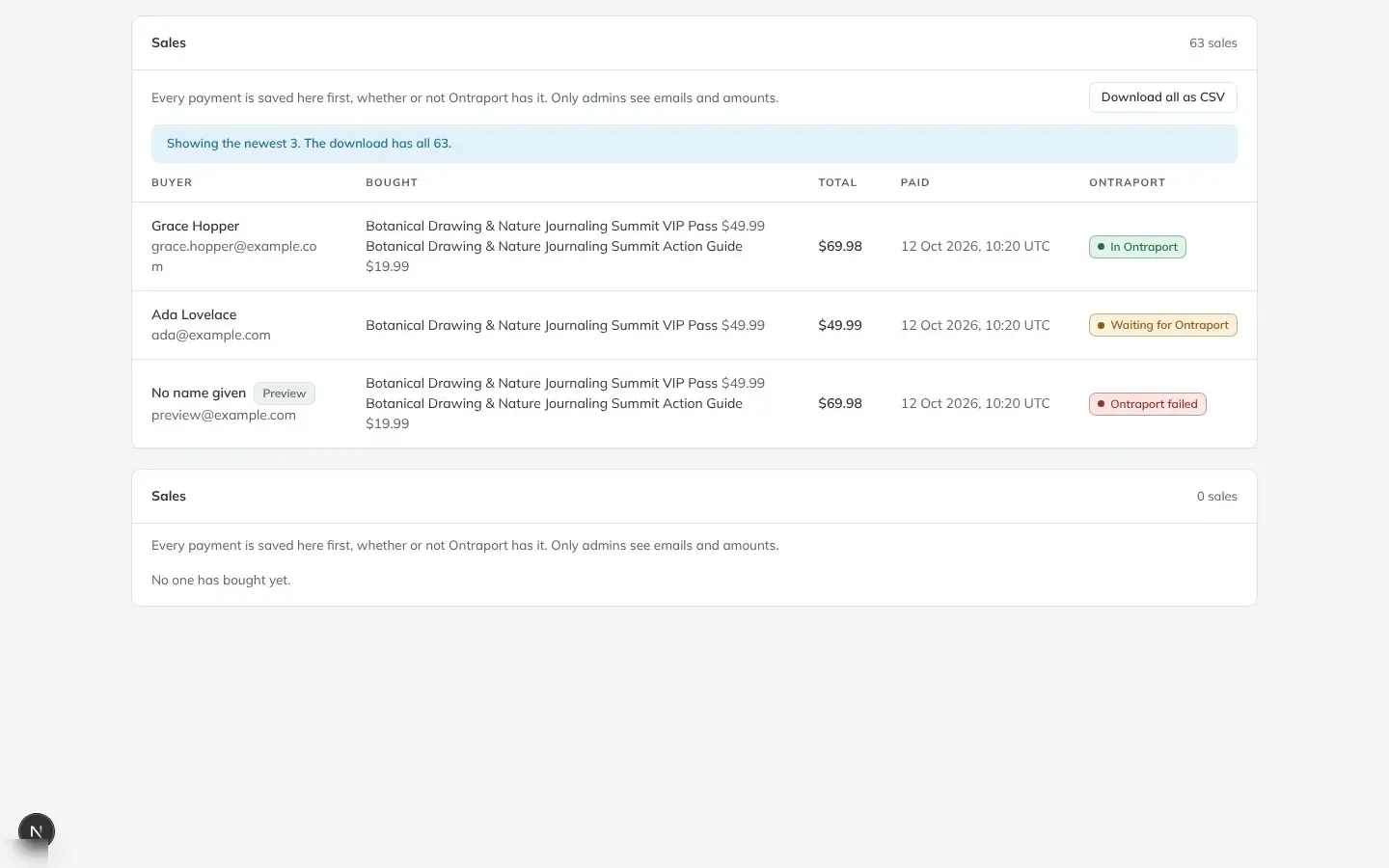
- CRM sync: every registrant and buyer is saved in the app first, then added to the CRM with the right tags. Each product becomes its own CRM transaction, and refunds sync back every hour.
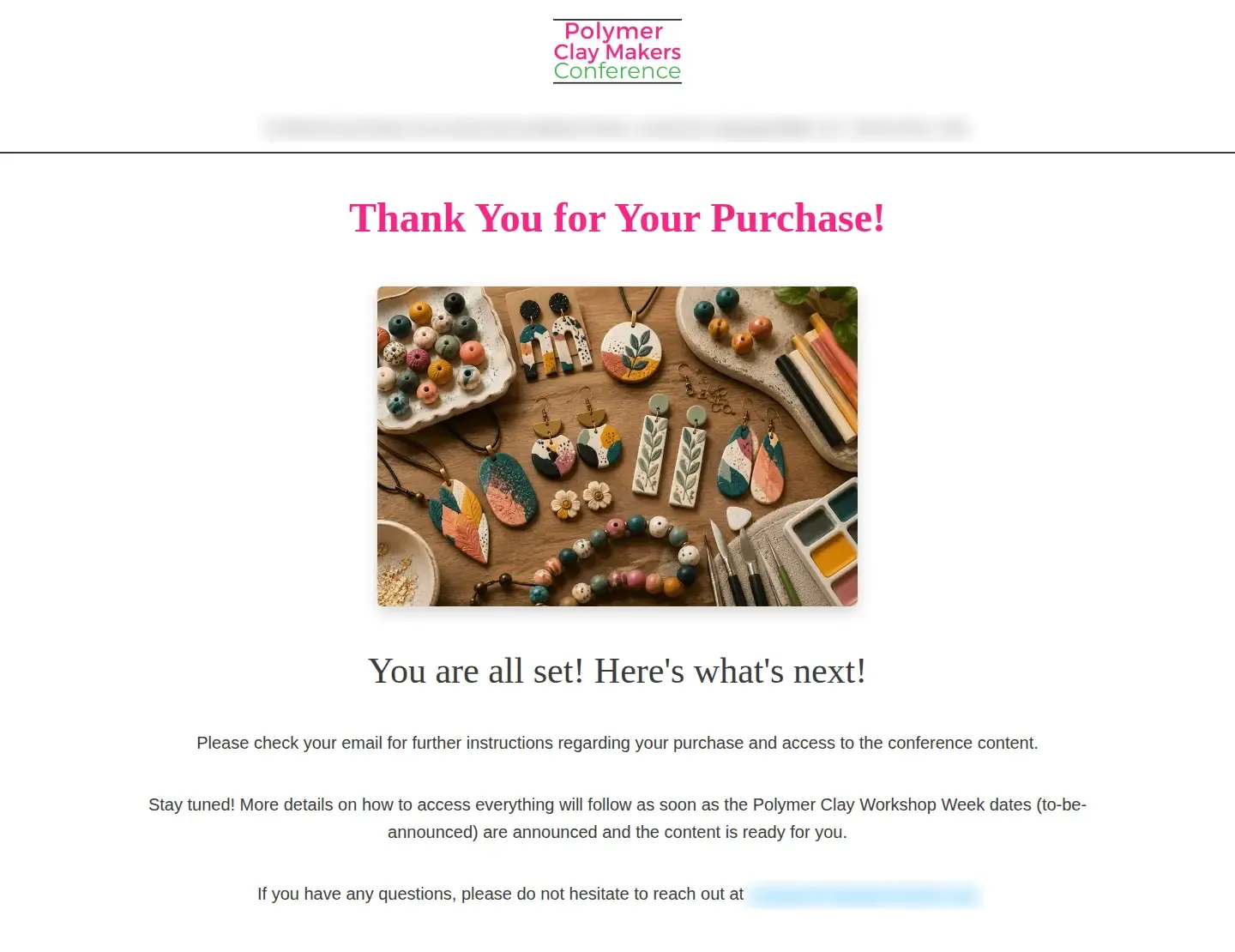
- Welcome emails: a registration welcome and a purchase welcome go out from the brand's address, with a compliant footer and one-click unsubscribe. Bounces and complaints show up next to each person.
- Safe retries: every outside call (payments, CRM, Meta, email) is recorded before it is made, so a retry never creates a duplicate contact, charge or campaign.
Phase 4: Ads written and the campaign planned
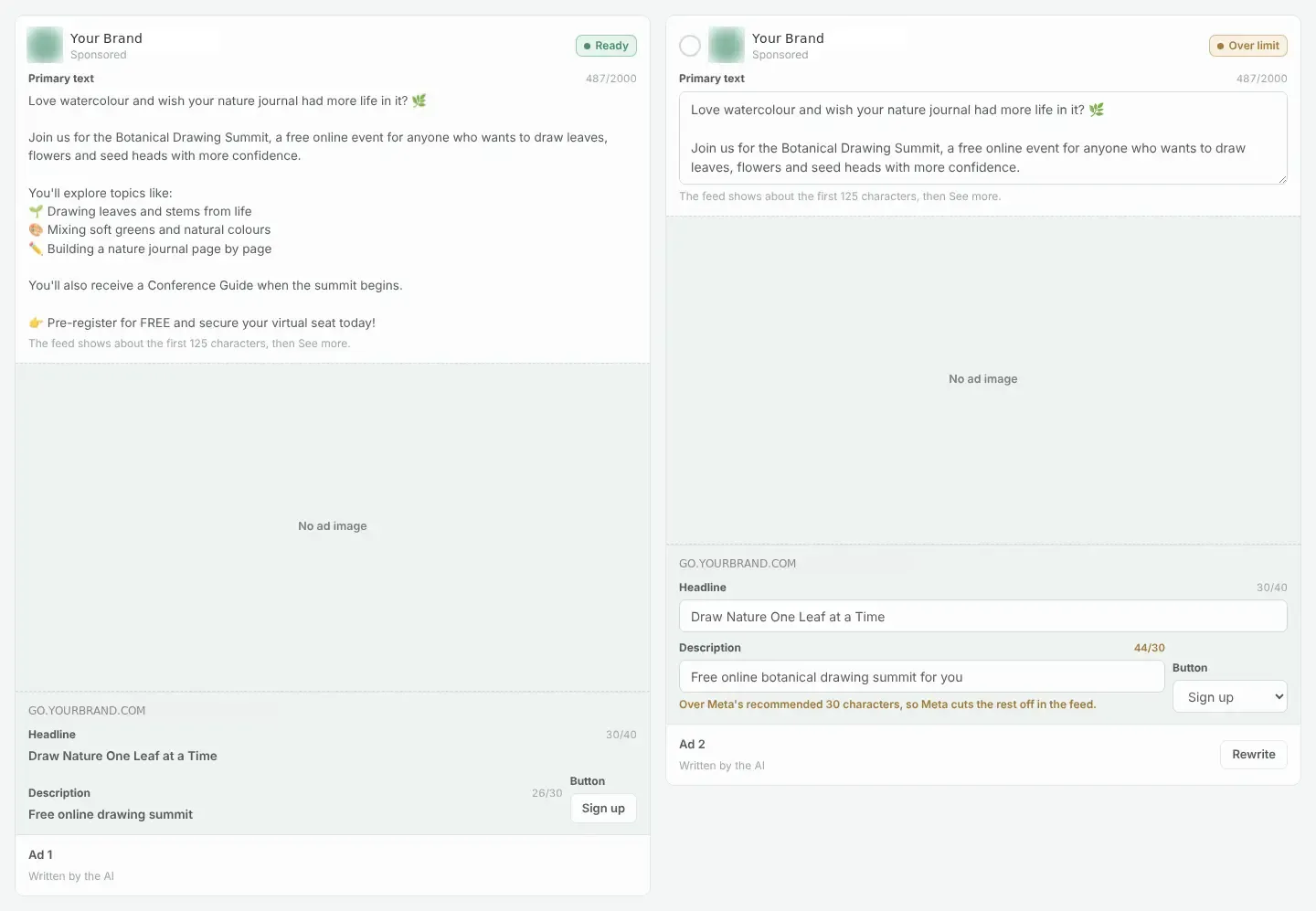
- Ad copy in Meta's own lengths: the AI writes primary text, headline and description, and the app flags anything Meta would cut off in the feed.
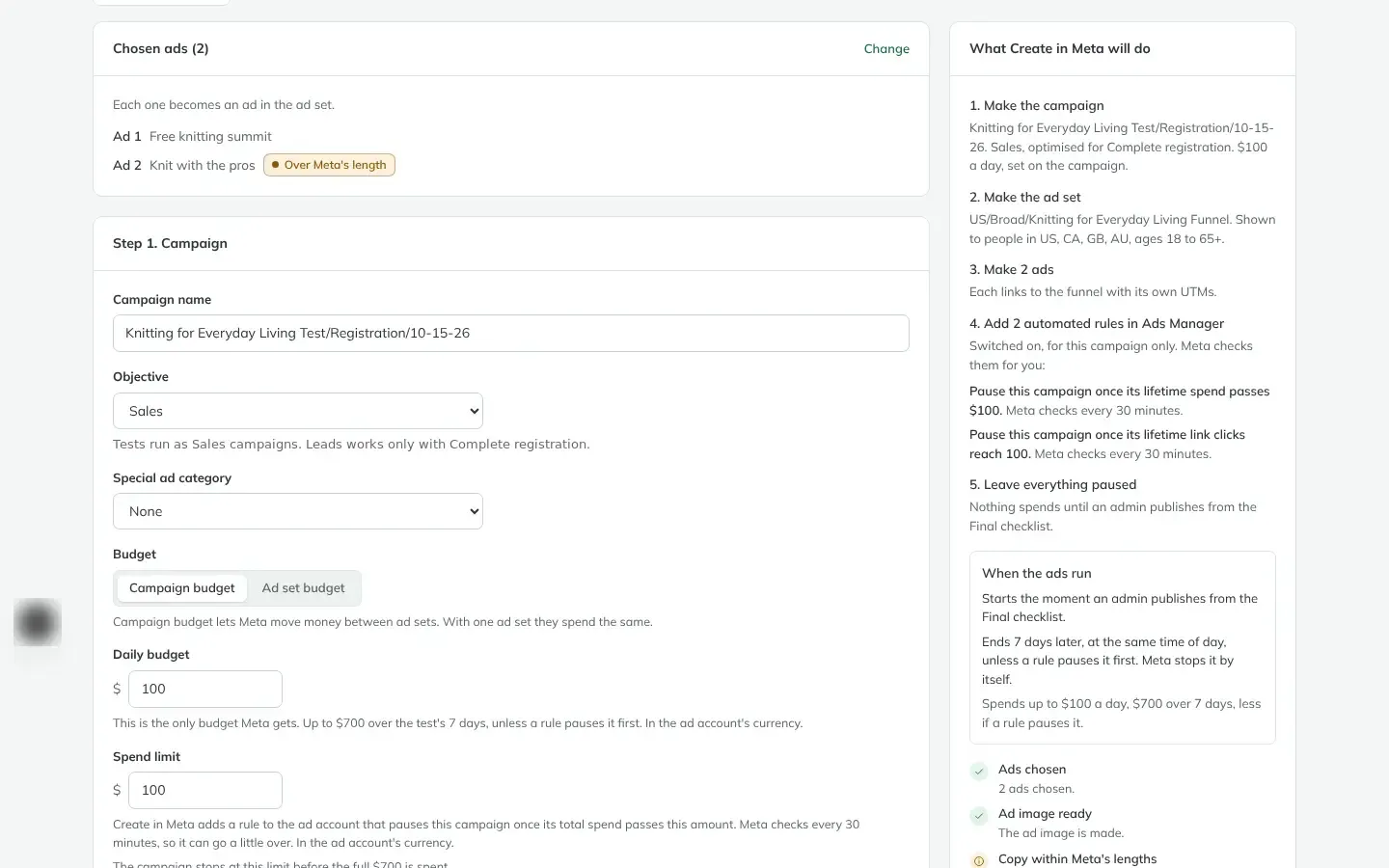
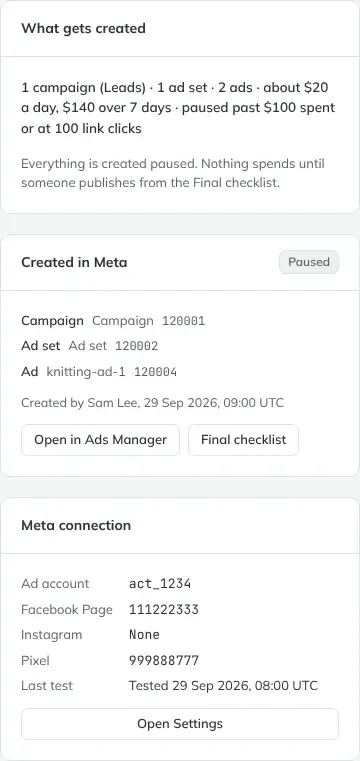
- The plan in plain words: before anything is created, a panel says exactly what Meta will get: one campaign, one ad set with broad targeting, the chosen ads, and the daily budget.
- Spend guards built in: two automated rules pause the campaign once it passes the spend limit or reaches the click limit, checked by Meta every 30 minutes.
Phase 5: Scheduling in the ad account's time zone
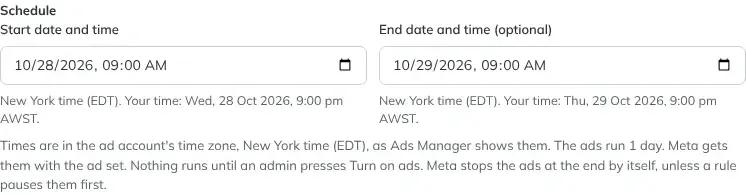
The team works from Australia, while the ad account runs on New York time. Picking "9 am" used to mean 9 pm the night before.
- One clock: start and end times are picked and shown in the ad account's own time zone, read straight from Meta, exactly as Ads Manager shows them.
- Your time alongside: each time also shows what it is for the person picking it, so nobody has to do the maths.
- Created paused: the campaign, ad set and ads are created in Meta paused, with their ids shown in the app and a link straight to Ads Manager.
Phase 6: Review, publish, then turn on the ads
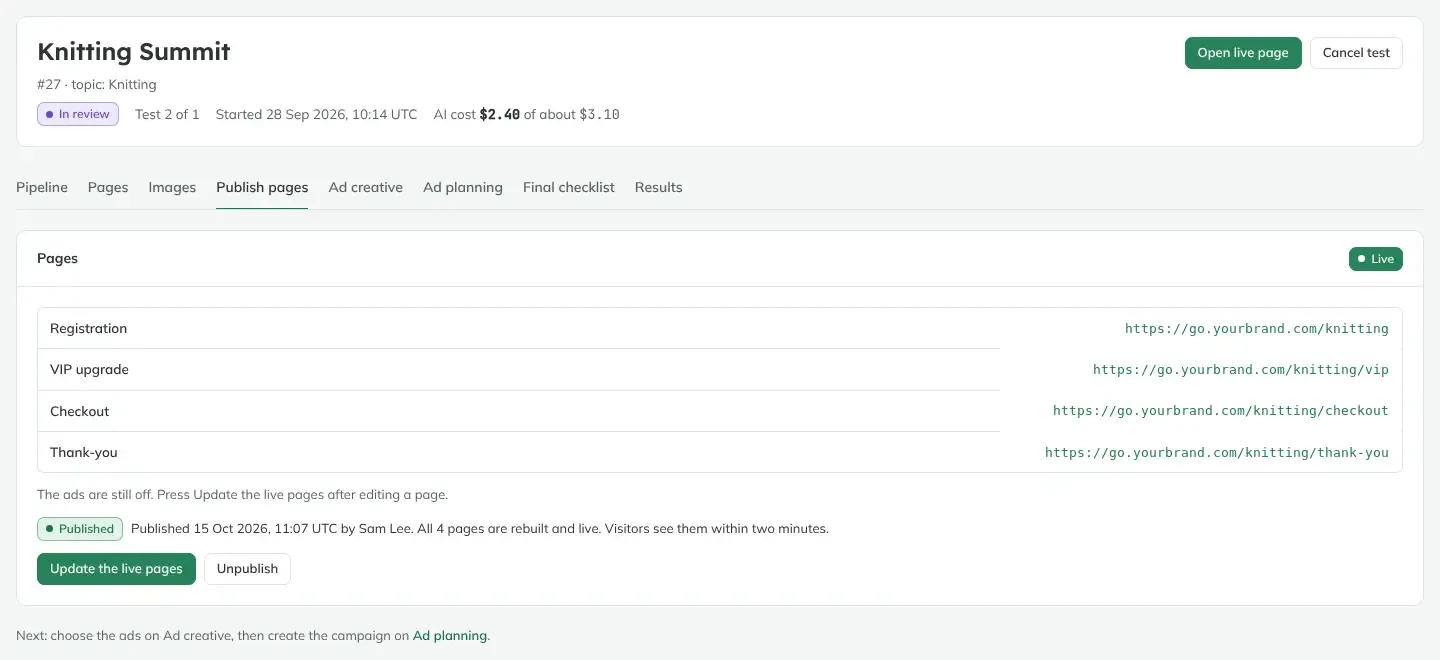
- Publish the pages first: an admin publishes the funnel to the brand's funnel domain and tests it for real before any ads run.
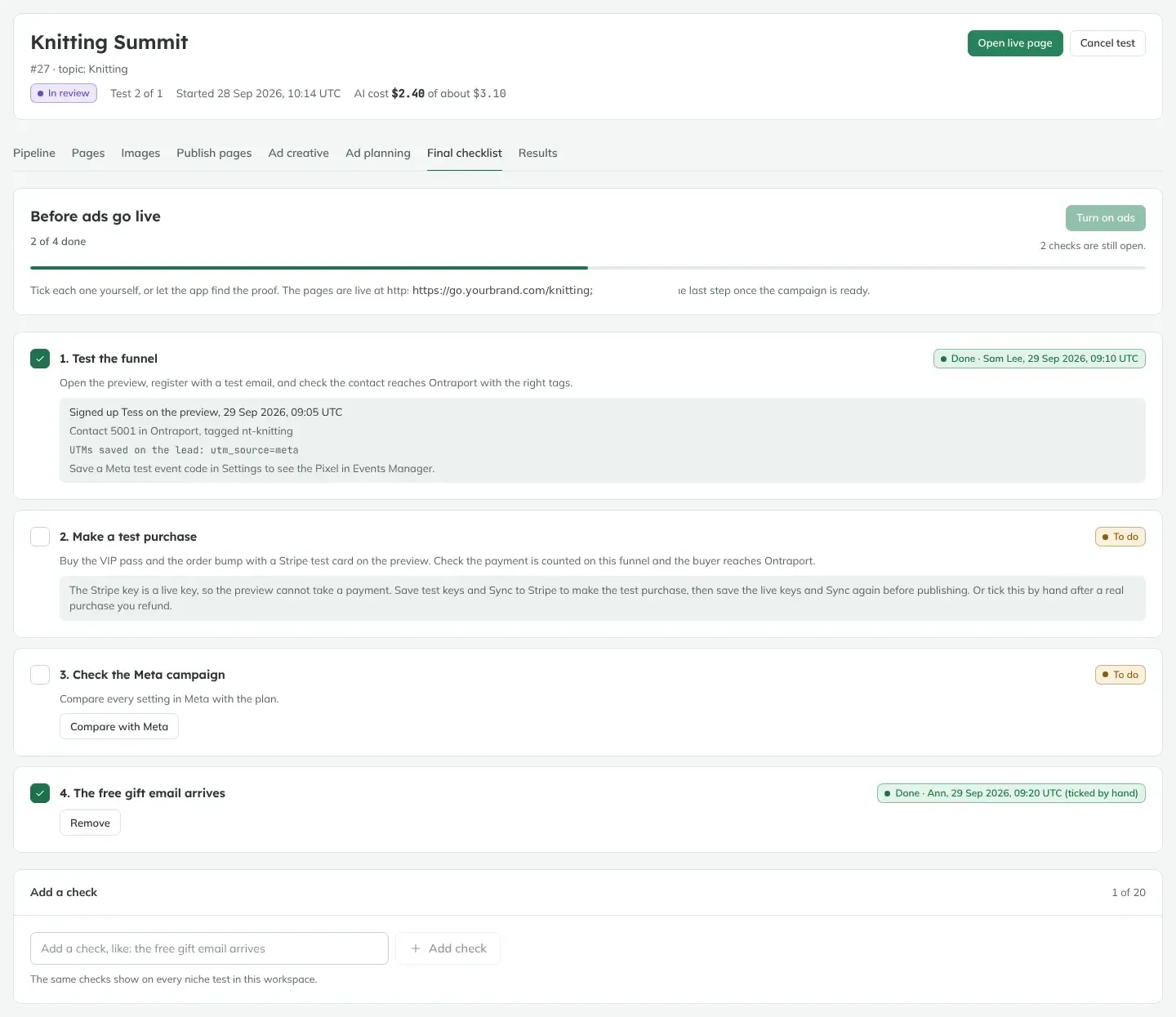
- A final checklist: test the funnel, make a test purchase, compare the campaign in Meta with the plan, check the welcome email. The app finds the proof itself where it can (the test contact in the CRM, the saved UTMs) and records who ticked what.
- Turn on ads: only when every check is done can an admin switch the paused campaign on.
- Results decide: ad insights are pulled every three hours, and an admin calls the result: Planning or On Hold.
Underneath it all
- Multiple workspaces: each brand has its own workspace, kept apart at the database level.
- Roles enforced twice: in the app and again in the database. Editors can run tests and see registrants; revenue and ad spend are visible only to people allowed to see them.
- Background jobs: long AI work runs as background jobs with retries, so a slow model or a dropped connection never loses a test.
- AI assistant access: the team can read and act on tests from their own AI assistant, with every change previewed and confirmed first.
- A team wiki: every feature ships with a plain-language how-to page.
The Results
A topic test that used to take days of copying, writing and clicking now starts from one form. The pages, images, ads, products and campaign are ready for review in a single run, for a few dollars of AI.
Because a test is cheap, the team can test more topics, and pick the next summit on real registration data instead of a hunch.
The risky steps are now the safest ones. Nothing goes public and nothing spends until an admin has published the pages, worked through the checklist and switched the ads on. Campaigns are capped by spend and click rules from the moment they are created, and schedules always match the ad account's clock.
How It Worked
Before: copy the last funnel, rewrite every page by hand, make images, set up products in the CRM, wire the checkout and the pixel, write ads, build the campaign in Ads Manager, convert time zones in your head, and hope nothing went live too early.
After: one form, one review, one publish.
- Topic entered. A team member fills in one form and the background pipeline starts.
- Funnel written. AI fills the slots of a proven four-page funnel and makes the images.
- Commerce wired. Products, checkout, CRM tags and welcome emails are set up automatically.
- Campaign built. Ads are written to Meta's limits and the campaign is created paused, scheduled in the ad account's time zone, with spend and click guards.
- Reviewed and published. An admin publishes the pages, completes the final checklist and turns on the ads.
- Result called. Insights arrive every three hours and an admin moves the topic to Planning or On Hold.
Want a System Like This?
If your business tests offers, launches events or runs paid traffic to funnels, and every new idea means days of copy, setup and Ads Manager clicking, this is the kind of system we build.
AI that writes inside your proven templates, checkout and CRM wired in, emails sent from your own domain, Meta campaigns built paused and scheduled correctly, and a review step so a person always has the final word.