AI Video Production System For Real Estate Company
This is an example UI built to illustrate the idea, not the actual product. Design can be customized to whatever look and workflow fits the task at hand.
How a Real Estate Agency Automated AI Ad Video Production Across Agents and Properties
Real Estate Advertising | AI Video Generation | n8n + Airtable + RunwayML + Creatomate + Metricool
The Situation
A Norwegian real estate agency needed a faster way to turn property listings into polished social media video ads. With 39 agents across 6 branch offices, a constant flow of new listings, and properties selling quickly, there was no time for a manual video production process. Every new listing needed an ad. Every sold property needed to be caught before money was wasted promoting it. The team needed a system, not a workflow.
The Problem
Creating a video ad for a property listing meant manually selecting photos, writing captions, animating images, assembling the video, and scheduling it to Facebook and Instagram. Multiply that by the number of new listings per week across six branches and the workload becomes unmanageable. There was also no centralised view of which properties had ads, which were pending approval, and which had already gone live. Agents had no visibility. Sold properties sometimes stayed in the queue. Errors went untracked.
The Solution
We built a 3-phase, 10-workflow n8n pipeline that monitors property listings, generates animated ad videos using RunwayML and Creatomate, and schedules them to Facebook, Instagram, TikTok, and YouTube via Metricool. The entire pipeline is managed through a purpose-built Airtable interface covering five sections: Agents and Agencies, Properties, Advertisements, and AD Video Automation.
Agents interact only through Airtable. They select a property, fill in captions, choose a video template and background music, and click one button. The system handles everything else: image selection, animation, video assembly, ad text generation, and social scheduling.
Phase 1: Monitor and Scrape (4 workflows)
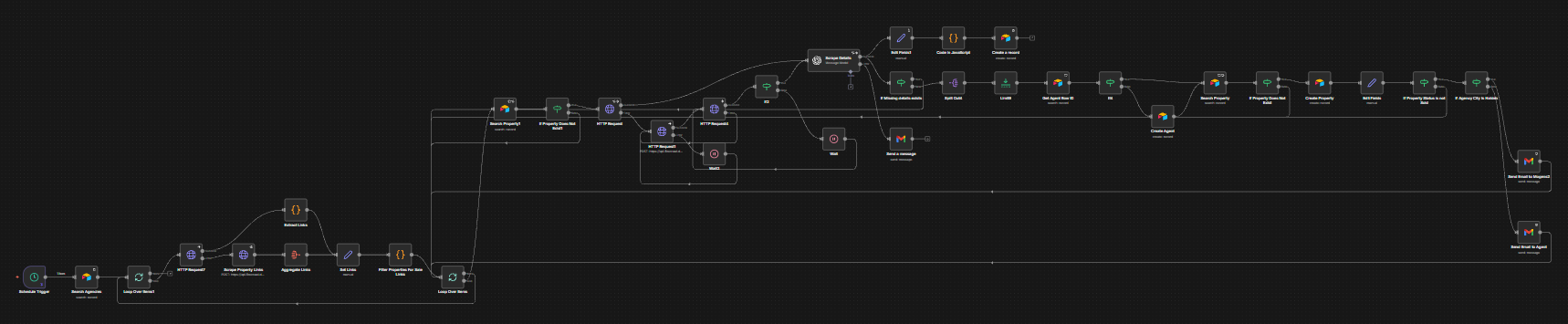
- 1. Monitor and Scrape Content: runs on a schedule, scrapes the agency’s property listing site for new listings, checks each URL against existing Airtable records, creates new Property records for any new listings found, scrapes full property details via OpenAI vision, creates or matches Agent records, and sends a notification email when a new property is detected
- 2. Order Confirmation: triggered by webhook when an agent confirms an order for ad creation, updates the property’s Create Ad Status, extracts a short property caption via OpenAI, creates image records in the List All Images table, analyzes each image, and notifies the team
- 3. List Property Images: triggered by webhook, fetches all images for a property from the listing site, analyzes each via OpenAI vision to classify by space type (interior/exterior) and generate descriptions, creates individual image records in Airtable, and clears or updates existing image entries for the property
- 4. Scrape Viewing Times: runs on schedule, loops through active properties, scrapes each listing page for open house / viewing time data, and updates the Viewing Time field in Airtable
Phase 2: Ad Creation (5 workflows)
- 5. Update Status and Email if Sold: runs on a schedule, re-checks each active property’s listing URL, determines if the property has sold, updates the status in Airtable, and sends a notification email if a property has moved to Sold
- 6. Create Ad on Autopilot: the one-click ad creation workflow triggered from Airtable, automatically selects 8 images (4 interior animated, 4 exterior still), scores and ranks images, deletes prior image selections, repopulates the selection in Airtable, and calls the RunwayML animation workflow

- 7. Generate Video: Animate Images via RunwayML: receives the selected images, generates motion prompts via OpenAI, submits each interior image to RunwayML for animation, polls for completion, uploads animated clips to Cloudinary, and calls the Creatomate video assembly workflow
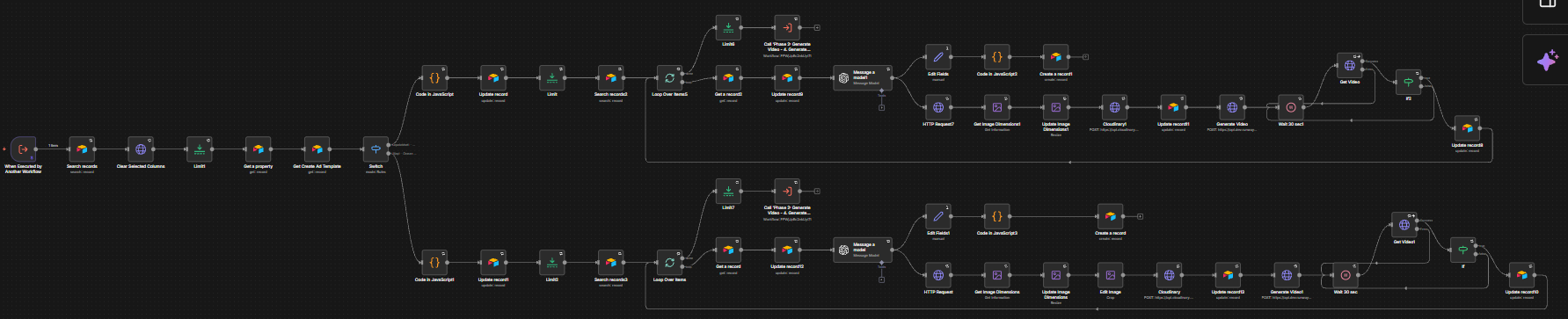
- 8. Generate Video via Creatomate: assembles the final ad video by merging animated interior clips and still exterior images, fetches the selected Creatomate template and background music, submits the full composition to Creatomate, polls for completion, and saves the finished video back to Airtable
- 9. Real Estate Video Error Logger: catches errors thrown by any workflow in the pipeline, sends a Gmail notification with error details, and creates a ClickUp task for follow-up
Phase 3: Publish (1 workflow)
- 10. Upload to Metricool: triggered from Airtable, uploads the finished ad video to Cloudinary, fetches the social media profiles from Metricool, and schedules the post to Facebook, Instagram, TikTok, and/or YouTube with the generated ad text and a thumbnail image

The Airtable Interface
Every part of the system is accessible from a single Airtable base. No agent needs to open n8n. The interface is organised into five sections.
Agents and Agencies
Agencies and agents are stored as linked records. Each agency has a name, address, URL, and list of associated agents. Each agent has a profile photo, contact details, title, and a running count of properties assigned.
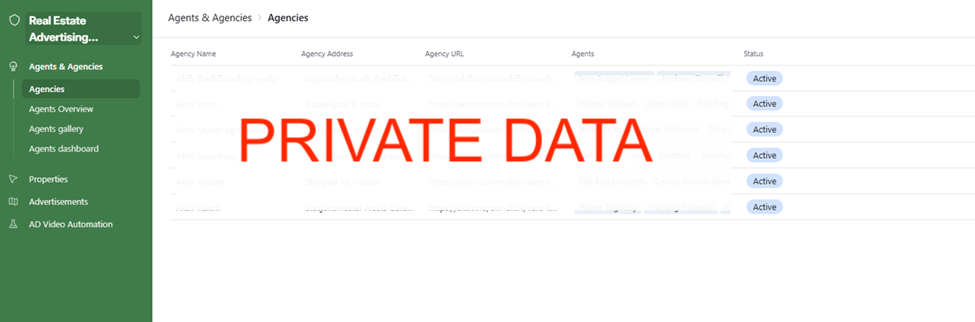
Agencies view — 6 branch offices listed with address, URL, linked agents, and Active status
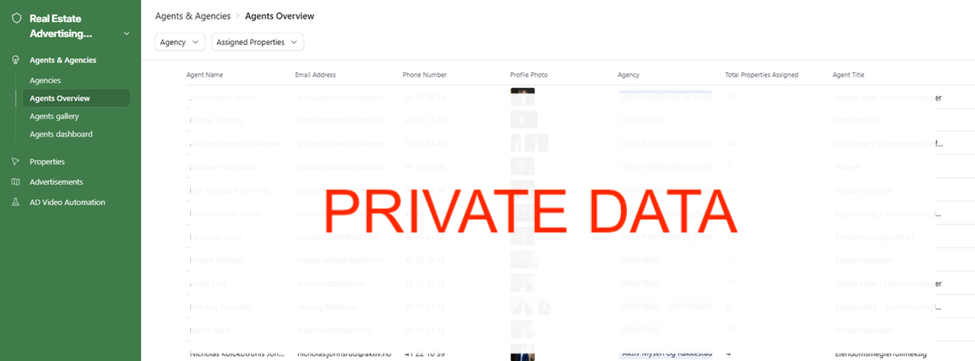
Agents Overview — 39 agents with profile photos, contact details, agency, and total properties assigned
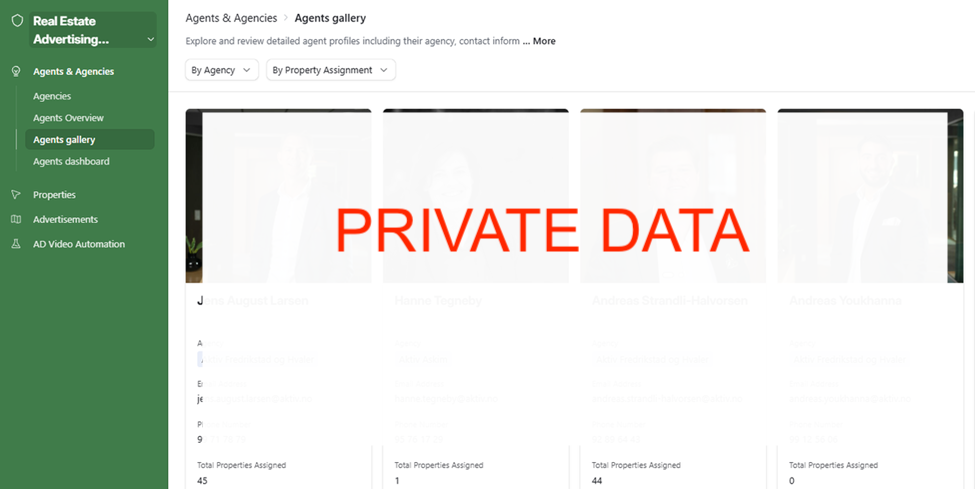
Agents Gallery — card view of agent profiles filterable by agency and property assignment
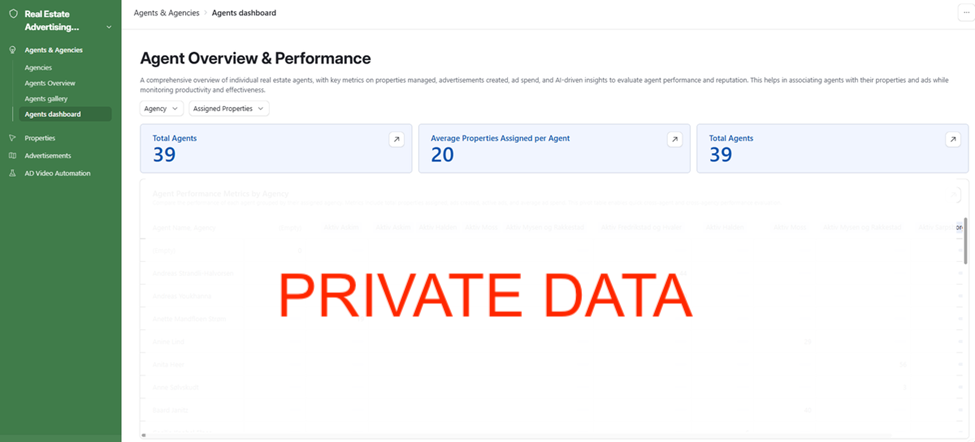
Agent Overview and Performance dashboard — total agents, average properties assigned, and cross-agency performance pivot table
Properties
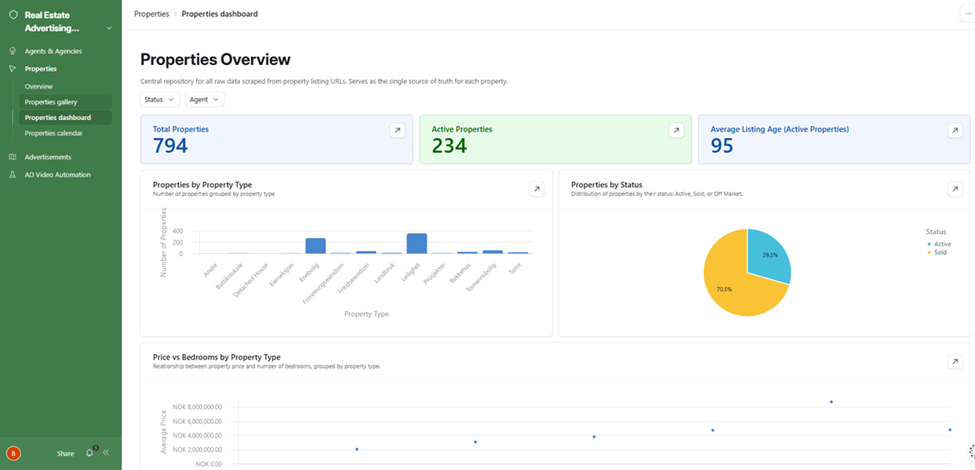
The Properties section is the central hub. All scraped listing data flows here. The Overview shows status (Active, Sold, Off Market), viewing times, Create Ad Status per property, the assigned agent, and the listing URL. Properties gallery shows all listings as browsable cards with property photos. The dashboard gives a live count of total and active properties, a chart by property type, and a status breakdown. The calendar plots properties by their viewing time.
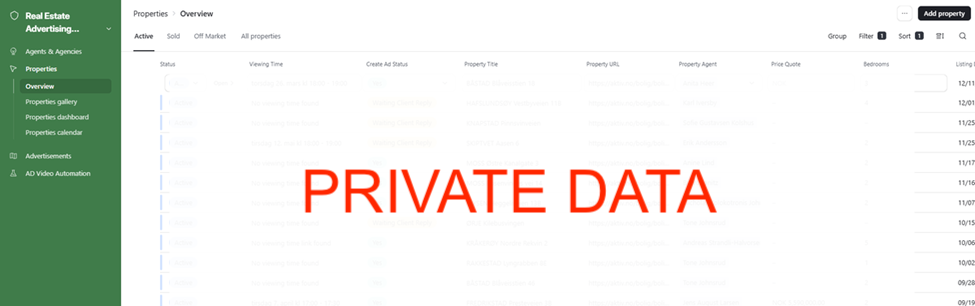
Properties Overview — active listings with status, viewing time, Create Ad Status, property title, URL, agent, price, and listing date
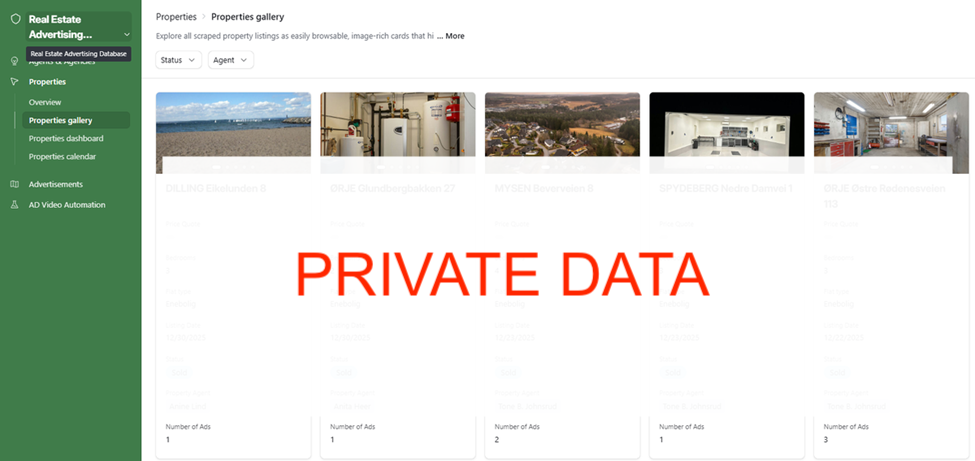
Properties Gallery — all scraped listings as image cards showing property photos, price, bedrooms, type, status, agent, and number of ads
Properties Dashboard — 794 total properties, 234 active, 95-day average listing age, breakdown by property type, and sold vs active pie chart
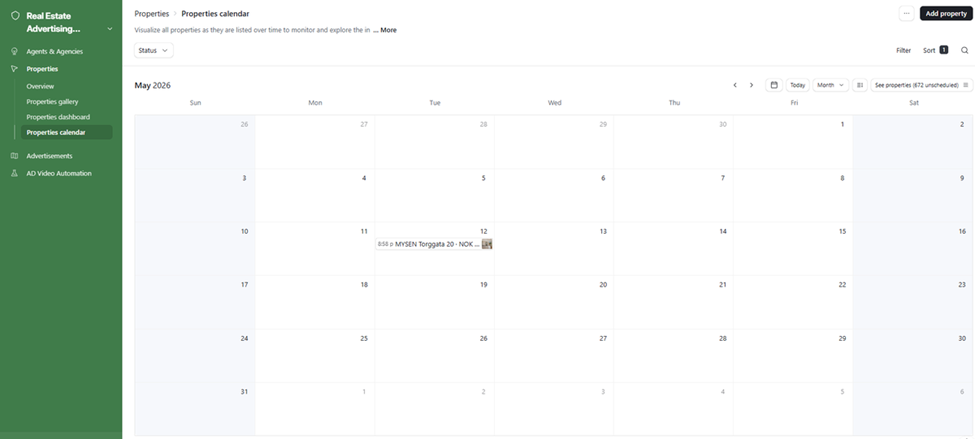
Properties Calendar — viewing times plotted by date for scheduling awareness
Advertisements
Every generated ad is tracked from creation to publication. The Overview lists all ads with approval status, publishing status, platforms, publish date, and ad spend. The gallery shows video thumbnails per property. The kanban tracks ads through Uncategorised, Approved, and beyond. The timeline gives a chronological view of scheduled and published ads.
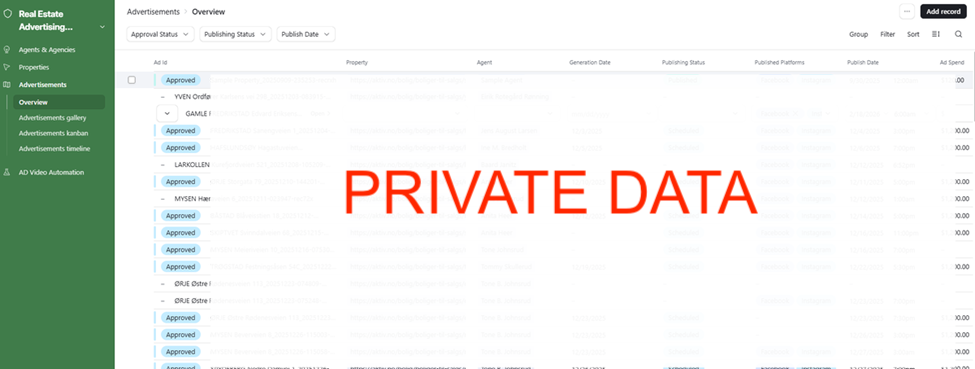
Advertisements Overview — all ads with Ad ID, property, agent, generation date, publishing status, platforms (Facebook / Instagram), publish date, and ad spend
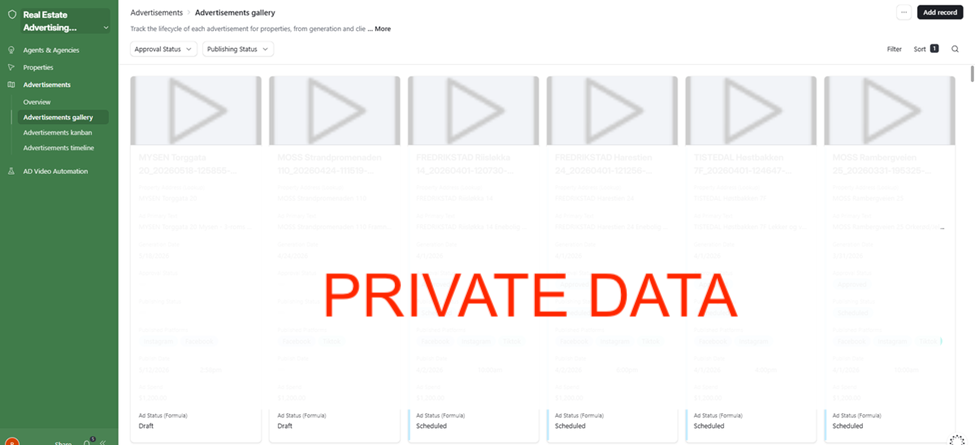
Advertisements Gallery — video ad cards per property showing primary text, generation date, approval status, publishing status, platforms, publish date, and ad spend
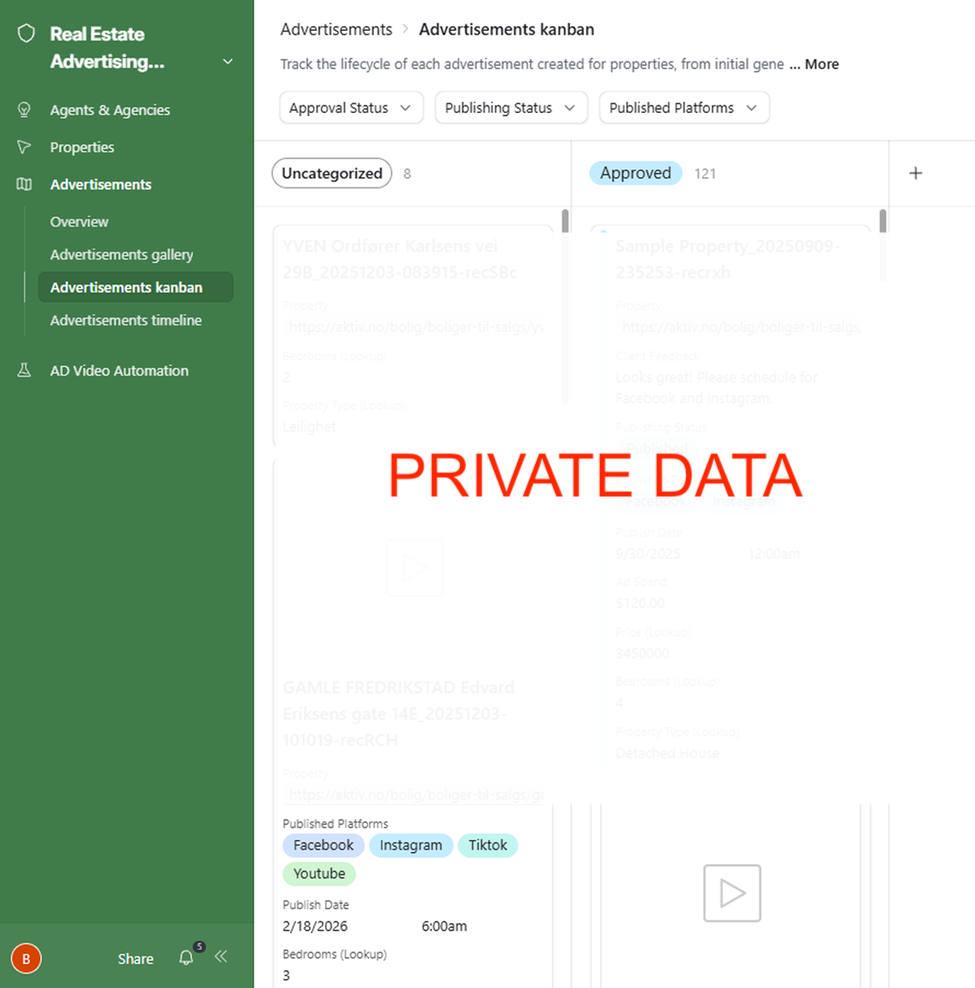
Advertisements Kanban — 8 uncategorised and 121 approved ads, each card showing property URL, bedrooms, property type, publishing status, platforms, publish date, and ad spend
AD Video Automation: Create Ad Video
The Create Ad Video interface is where agents trigger ad production. The agent selects the property URL, fills in up to 6 caption lines (auto-populated from the property description), confirms agent details, selects a Creatomate video template and background music, and clicks Create Ad on Autopilot. The system selects and scores images automatically, shows the full image list for review, displays the Creatomate template layout, and surfaces the finished video with a direct Upload to Metricool button.
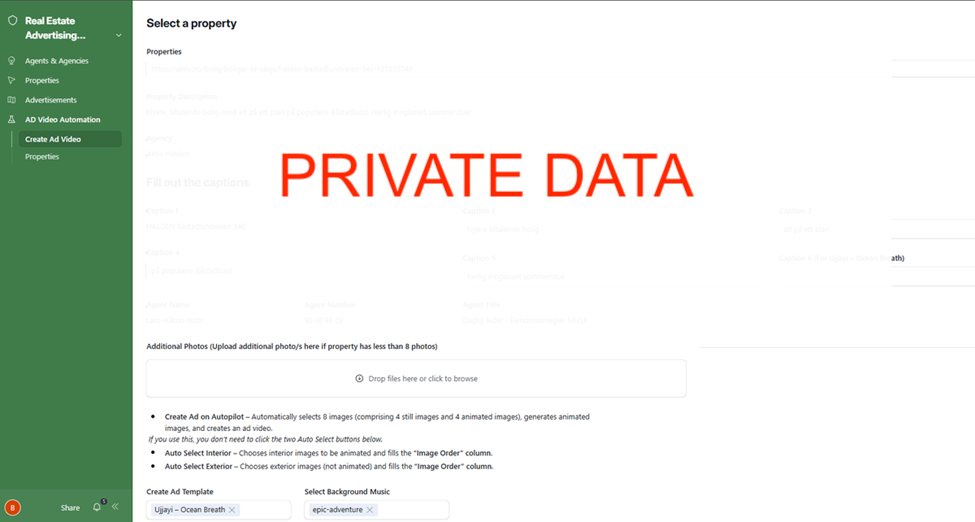
Create Ad Video — property URL, auto-populated description, agency, 6 caption fields, agent name and title, ad template selector (Ujjayi – Ocean Breath), and background music selector
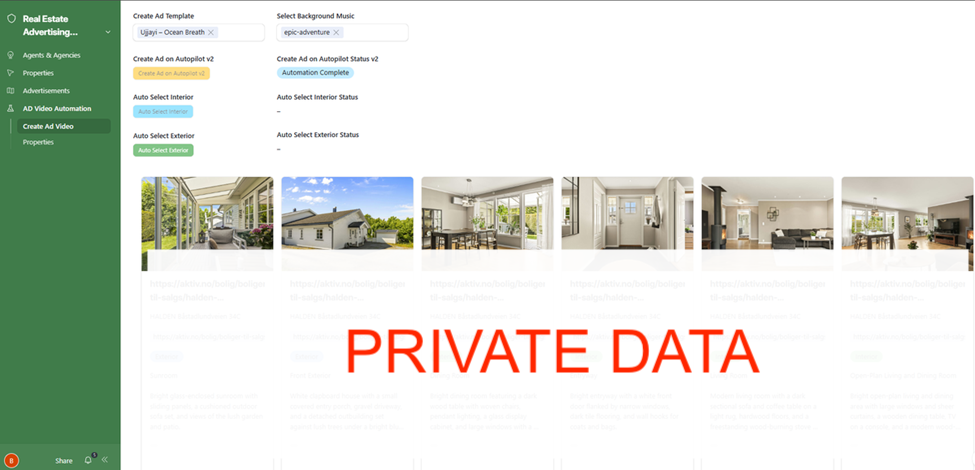
Create Ad Video — Autopilot buttons (Create Ad on Autopilot v2, Auto Select Interior, Auto Select Exterior), status (Automation Complete), and all property images classified by space category and type with AI-generated descriptions
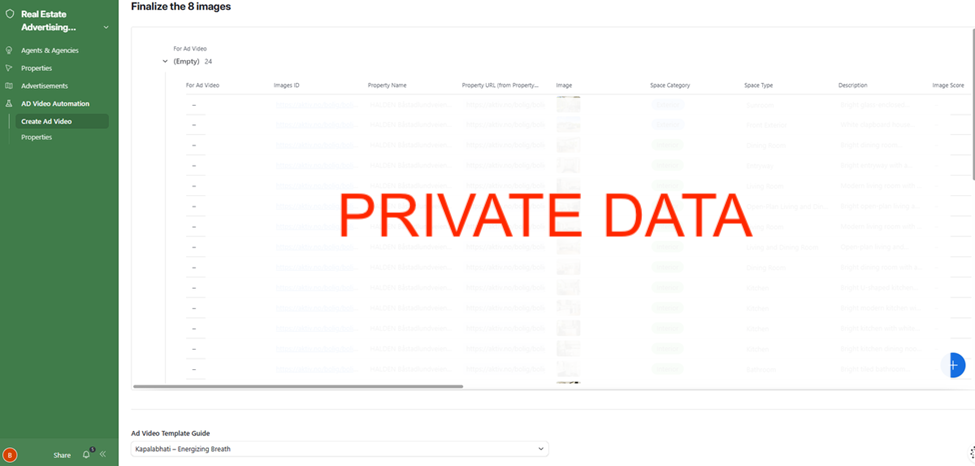
Finalize the 8 images — full image list with space category (Interior/Exterior), space type, AI description, image score, and For Ad Video selection column
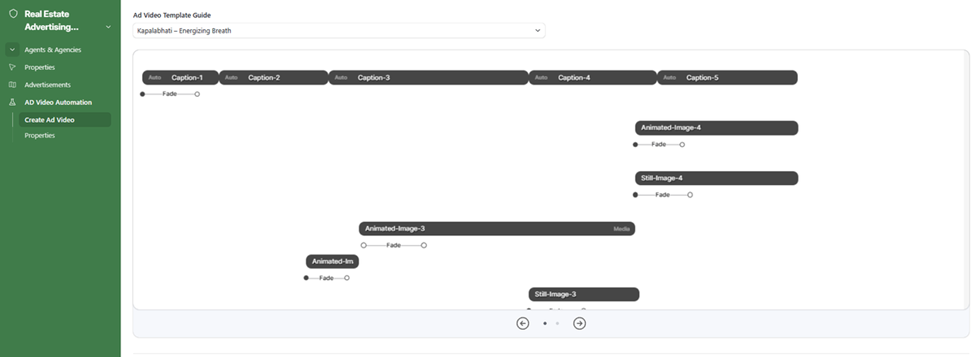
Ad Video Template Guide — Creatomate template layout showing caption timing slots, animated and still image positions, and background music tracks listed with playback controls
Create Ad Video output — finished video preview, Create Ad Generation Status (Automation Complete), ad primary text, generation date, ad spend, published platforms, publish date, and Upload to Metricool button
Results

What previously required manual photo selection, caption writing, video editing, and social scheduling now runs from a single Airtable button. An agent selects the property, fills in captions, picks a template and music, and clicks Create Ad on Autopilot. The system scores and selects the best 8 images, animates the interior shots via RunwayML, assembles the full video via Creatomate, and delivers it back to Airtable ready for one-click publishing to up to four platforms.
Property monitoring runs automatically. New listings are scraped and added to Airtable without any manual input. Sold properties are detected on schedule and their status updated before any ad spend is wasted. Viewing times are scraped and kept current without anyone checking listing pages.
The Advertisements kanban gives the team a live view of every ad in the pipeline: what’s pending, what’s approved, what’s published, and what’s scheduled. Any agent can check the status of their property’s ad without asking anyone.
Every error across all 10 workflows is caught, logged, and turned into a ClickUp task automatically. Nothing fails silently.
How It Worked
Before: creating an ad required a team member to manually pull photos from the listing, decide which ones to use, write captions by hand, assemble a video in editing software, upload it to social platforms, and schedule it. Each property took meaningful time. There was no tracking, no pipeline visibility, and no automated detection of sold properties.
After: the entire process from listing detection to published social ad runs through Airtable and n8n with one button click at the production stage.
- Listing detected.Phase 1 scrapes the agency listing site on schedule. New property URLs are found, details are scraped via OpenAI vision, and a Property record is created in Airtable with the agent matched automatically.
- Images catalogued.Phase 1.3 fetches all images for the property, passes each through OpenAI vision to classify and describe them, and creates individual image records tagged as Interior or Exterior.
- Ad created on autopilot.The agent opens the Create Ad Video interface, selects the property, fills in captions, picks a Creatomate template and background music, and clicks Create Ad on Autopilot. The system selects the 8 best images, animates 4 via RunwayML, and hands off to Creatomate for video assembly.
- Video reviewed and published.The finished video appears in the interface. The agent reviews it, sets the publish date and platforms, and clicks Upload to Metricool. Phase 3 handles the rest: Cloudinary upload, thumbnail generation, and scheduling to Facebook, Instagram, TikTok, and/or YouTube.
- Status monitored automatically. Phase 2 runs on schedule checking each active property. When a property sells, the Airtable record is updated and a notification is sent before any more ad budget can be allocated to it.
Want a System Like This?
If you work in real estate and want to go from listing to live social ad without a manual production process, this is the kind of infrastructure we build.
End-to-end AI video ad pipelines, multi-platform publishing, property monitoring, and performance dashboards for agencies and their agents.