AI Content System
This is an example UI built to illustrate the idea, not the actual product. Design can be customized to whatever look and workflow fits the task at hand.
How a Content Creator Turned One Video Transcript Into Platform-Ready Posts Per Week Using AI Automation
AI Content Automation | Social Media Production | n8n + Airtable + fal.ai
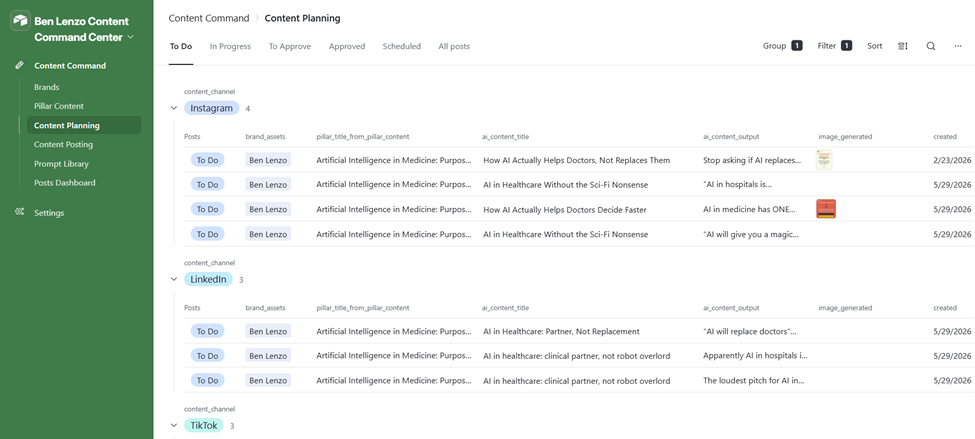
Airtable Content Command Center interface — Content Planning view showing posts grouped by channel (Instagram, LinkedIn, TikTok) with status, AI title, and generated image thumbnails
The Situation
The client is a thought leader and content creator in the AI and critical thinking space, publishing across Instagram, LinkedIn, Facebook, TikTok and Threads. The audience expects sharp, well-formatted posts with strong visual assets. Producing all of that from a single piece of source content every week meant hours of manual work per video.
The existing process was manual end to end. Record a video or audio piece. Write posts by hand for each platform. Separately source or create images. Schedule everything individually. One video could take a full day to turn into a complete content batch.
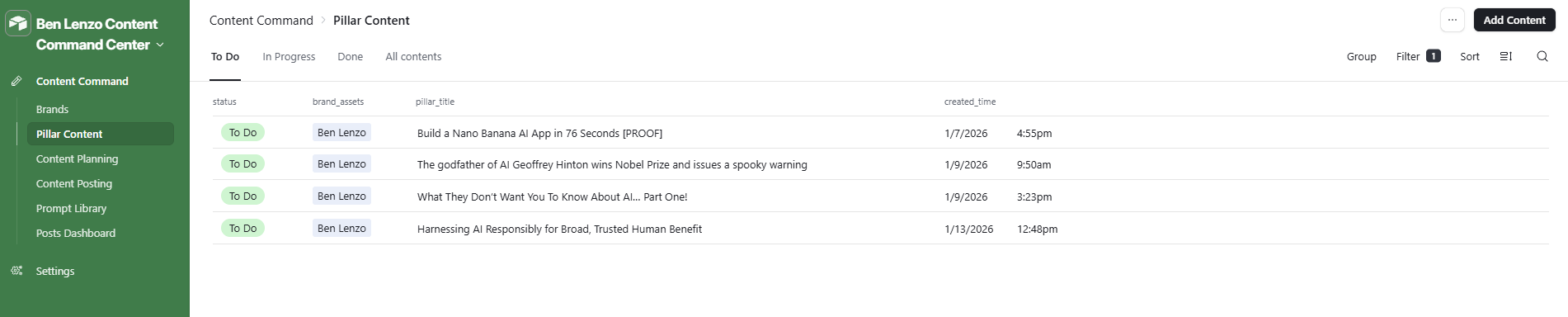
Pillar Content view in Airtable showing source video titles linked to Ben Lenzo brand, with status and creation timestamps
The Problem
Content production was the bottleneck. The client had strong source material but no system to move it efficiently from raw transcript to published post. Each platform needed its own format, its own tone calibration, and its own image. Doing this manually for 5 platforms per piece of content was not sustainable at volume.
On top of that, there was no consistent quality check. Posts could drift from the client’s documented brand voice. Images were inconsistent. There was no audit trail for what had been generated, what had been approved, or what had actually been sent to the scheduler.
The cost of inaction was clear: less content shipped, inconsistent brand presence, and the client spending time on production instead of creation.
The Solution
We built a full AI content production system connecting Airtable, n8n, OpenRouter, fal.ai, and Metricool. The client adds a video URL or transcript to Airtable, sets post counts per platform, and the system handles everything from there.
The Airtable base (appHycd0ezRD9vpFE) serves as the command center. It holds brand assets, platform-specific prompt libraries, AI model configuration, creative style templates, and a full post lifecycle from generation through approval to scheduling.
Seven n8n workflows run the production pipeline:
- Generate Content: pulls the transcript, routes through platform-specific AI prompts via OpenRouter, and creates individual post records in Airtable for Instagram, LinkedIn, Facebook, TikTok, X, and Threads
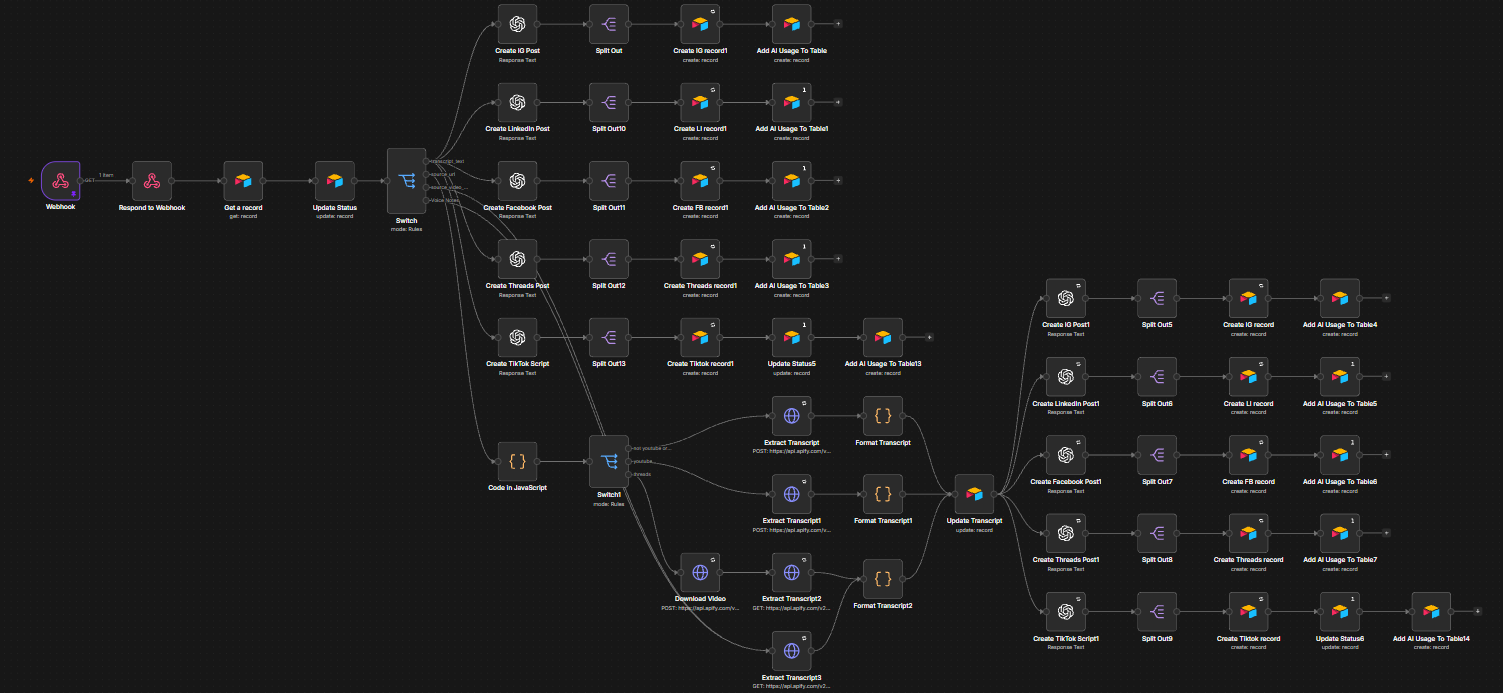
- Generate Text For Image: writes the exact overlay text that will appear on the branded post image
- Generate Image Prompt: builds a structured fal.ai image generation prompt using the training image layout, brand colors, and post text
- Generate Post Image: submits the prompt to fal.ai (Gemini 3 Pro Image), polls for completion, retrieves the image URL, and writes it back to the post record

- Rewrite the Post: lets the client add context notes and regenerate any post on any platform through a single button click inside Airtable
- Send Post to Metricool: formats the approved post and image for the Metricool API and schedules it

- Error Logger: catches any workflow failure, logs it to an Airtable error table, and creates a ClickUp task for follow-up
The Prompt Library in Airtable stores per-platform writing prompts aligned to the client’s brand voice document. Each prompt includes exact rules: banned words, tone markers, structure requirements, and output format (JSON). The system picks the right prompt automatically based on platform.
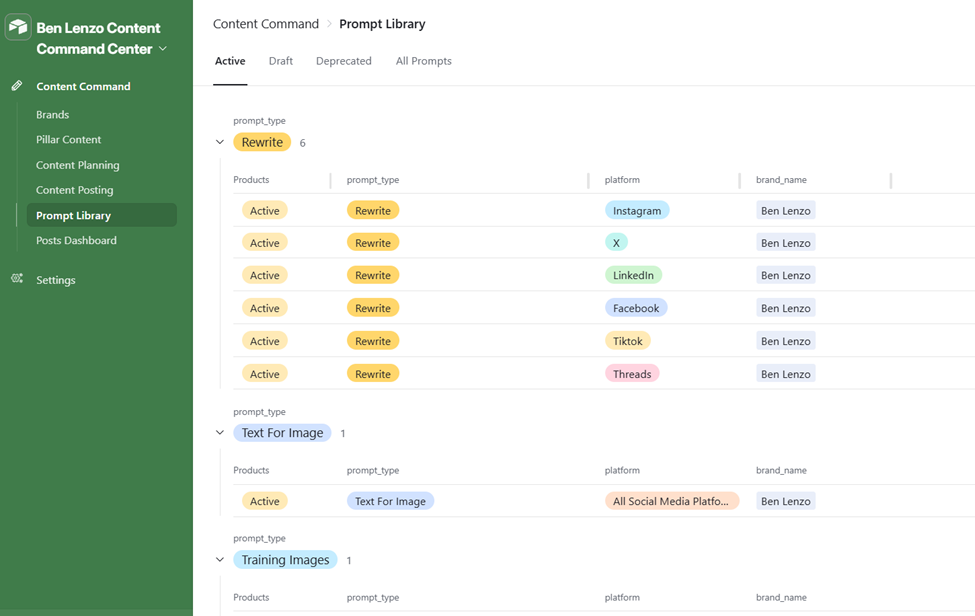 Prompt Library — active prompts grouped by type: Rewrite prompts for all 6 platforms, Text For Image prompt, Training Images prompt
Image generation uses a training image approach. A branded template image is stored in Airtable. The system analyzes it, generates a prompt that preserves the layout while replacing the text content, and submits to fal.ai. The client selects and approves the generated image inside the Airtable interface before it moves to scheduling.
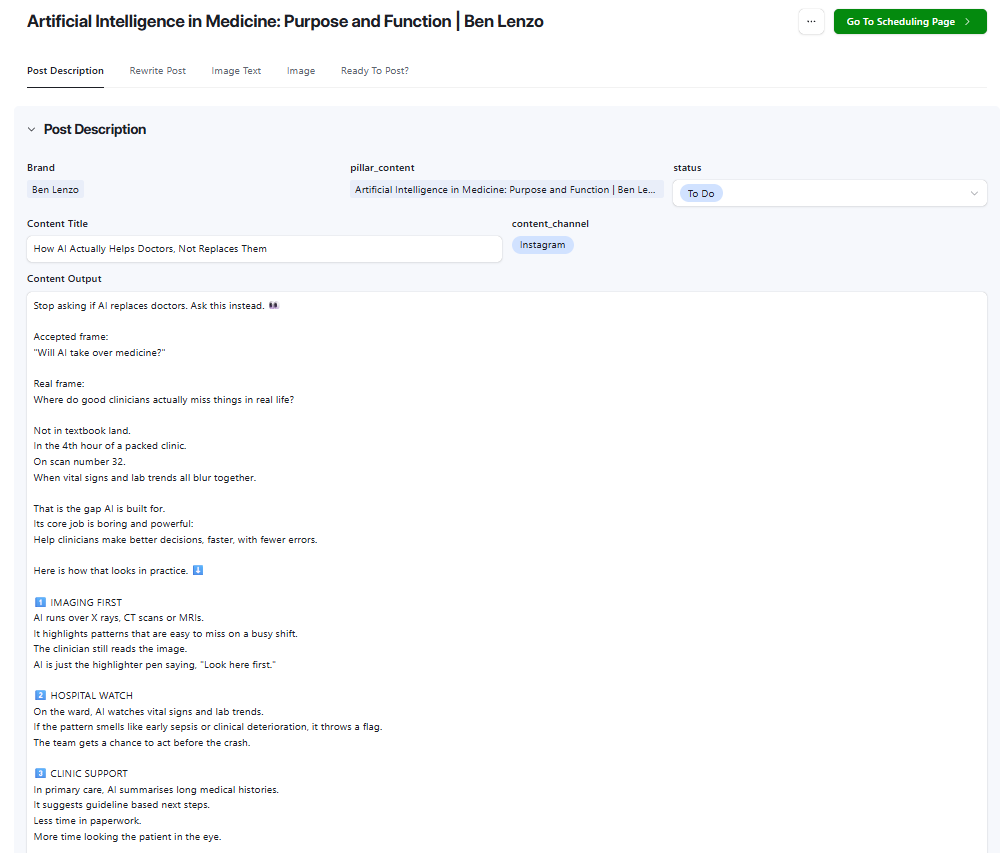
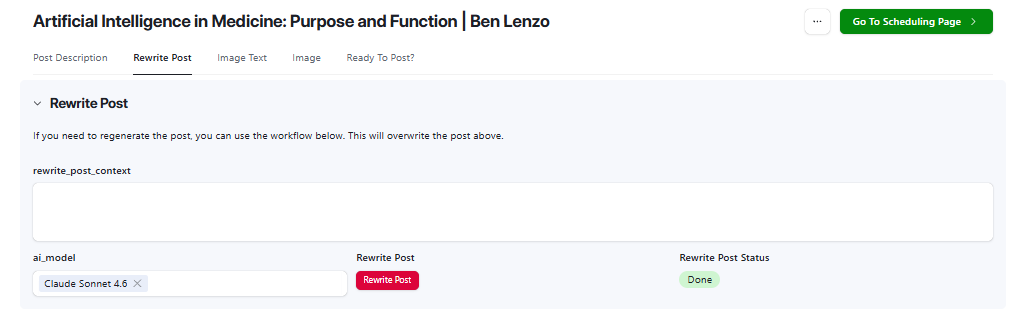
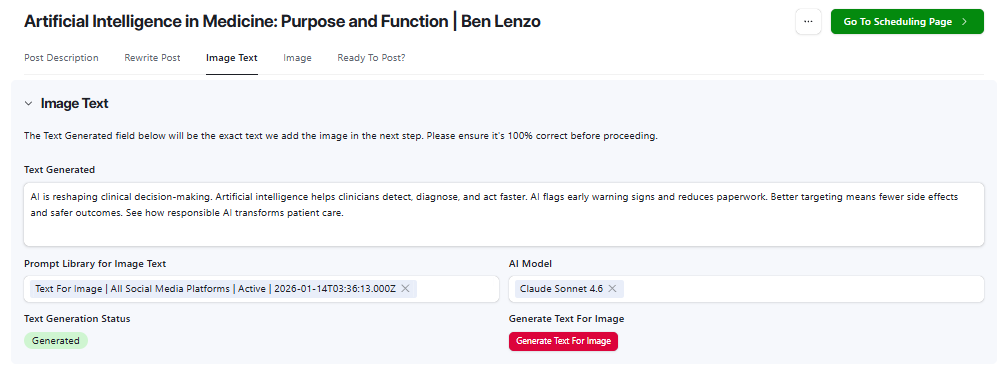
Individual post detail view in Airtable showing Post Description tab with generated caption, Rewrite Post section with AI model selector and one-click regeneration, and Image Text section with generated overlay copy
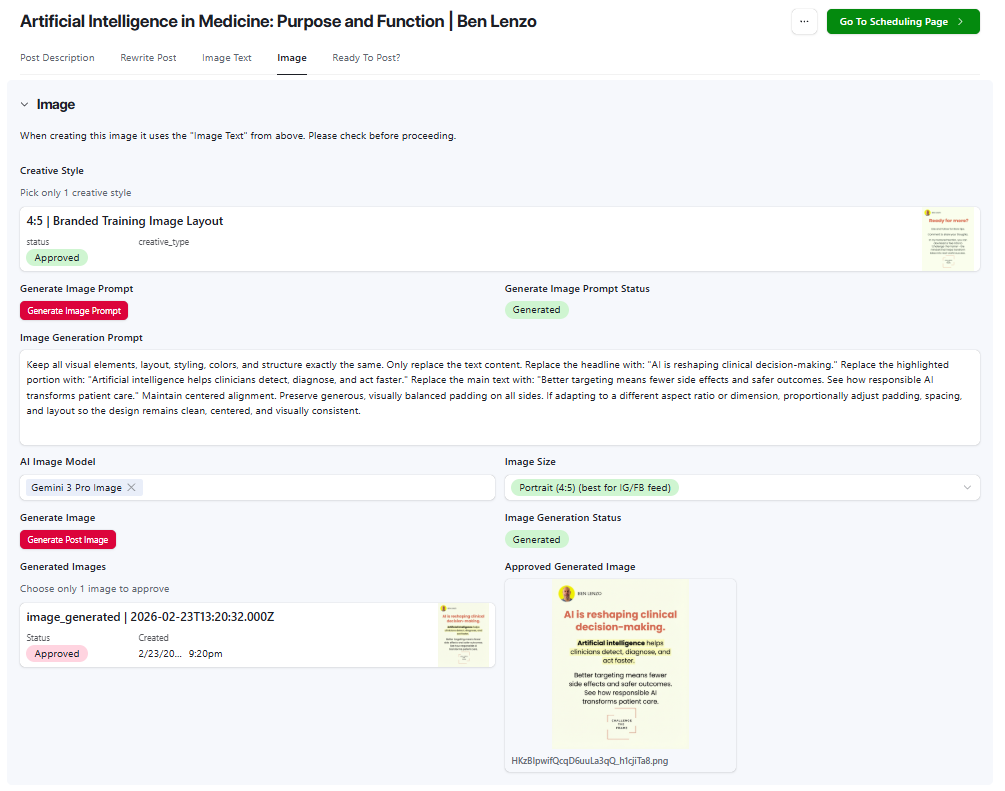
Image tab in Airtable showing Creative Style selector, Image Generation Prompt field, AI Image Model (Gemini 3 Pro Image), Generate Post Image button, and approved generated image preview

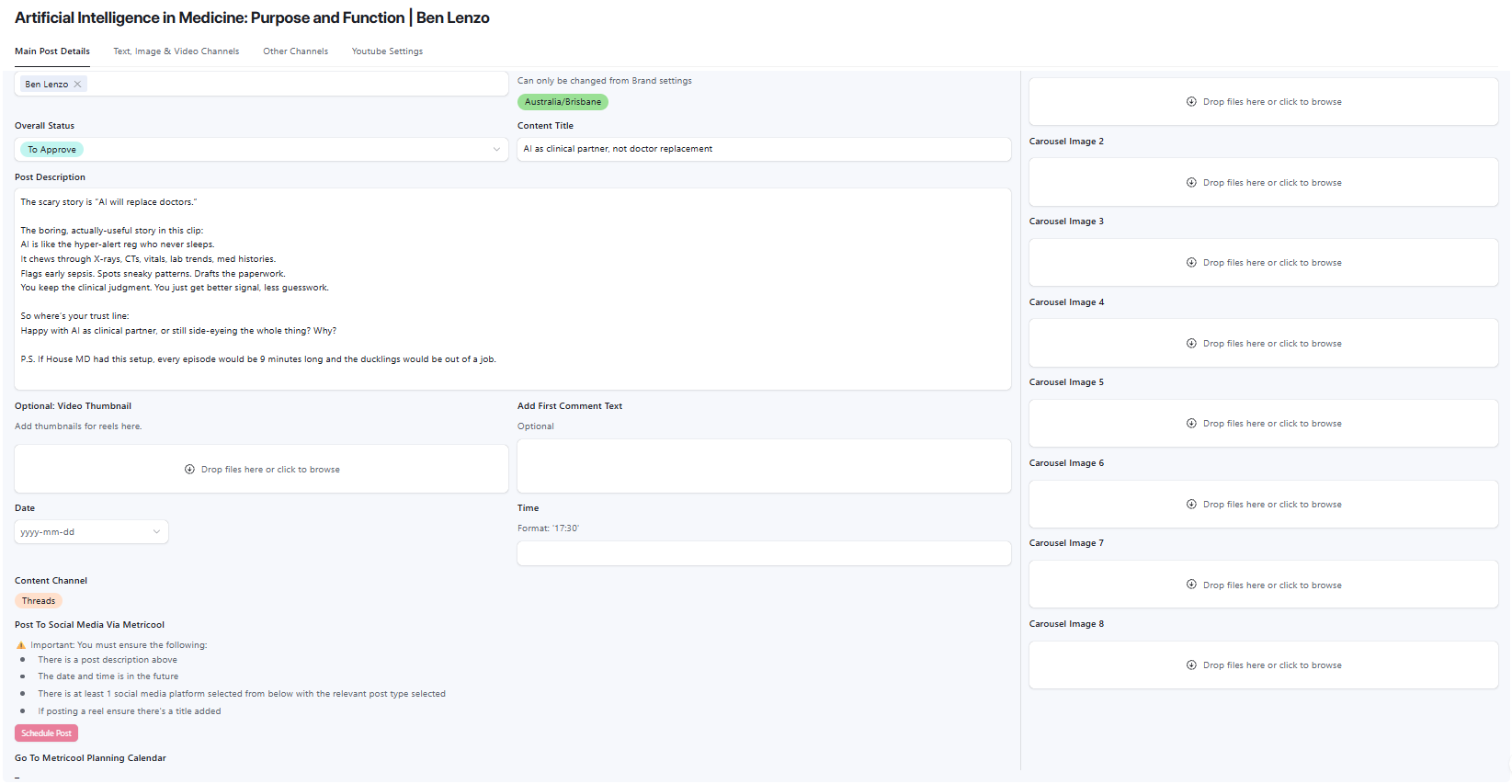
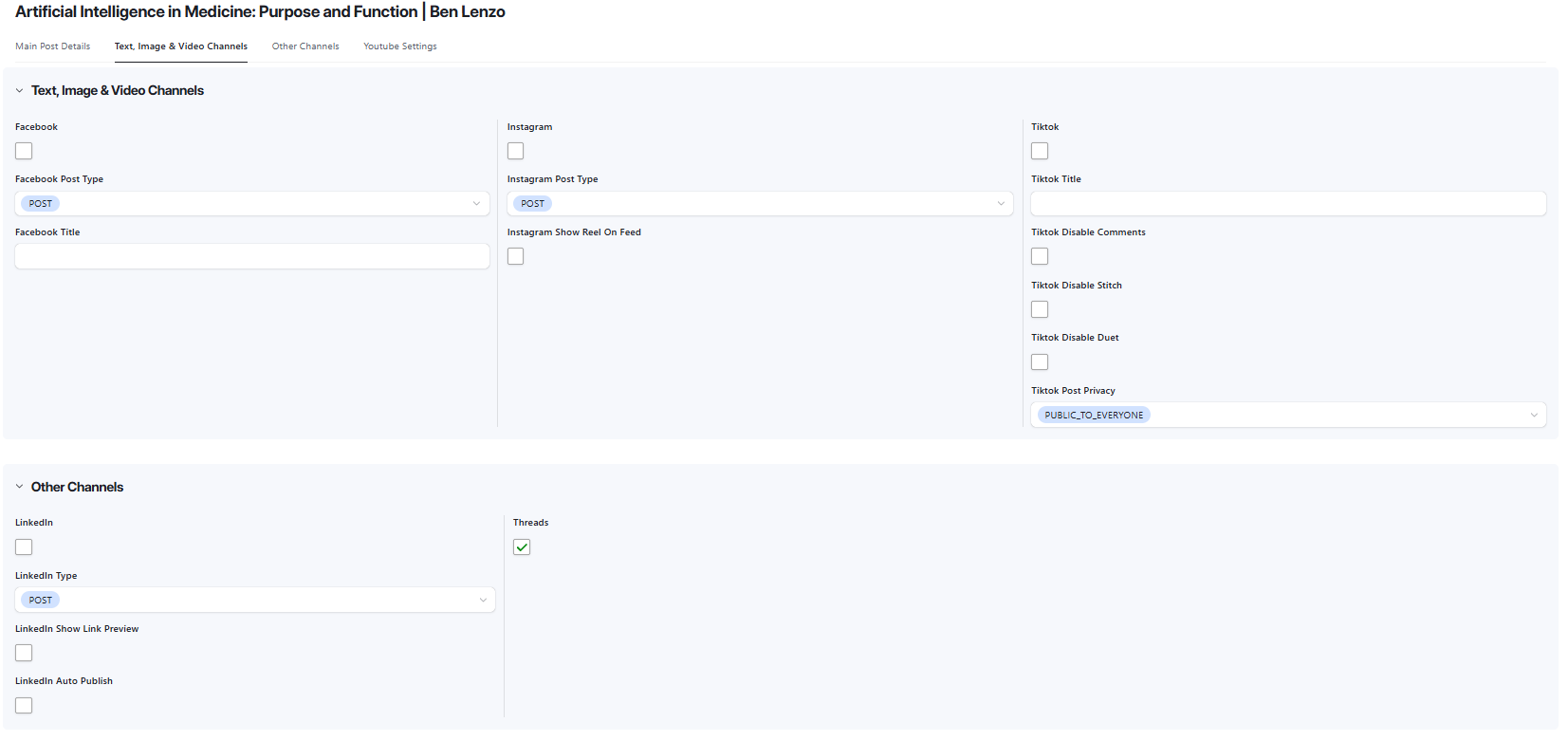
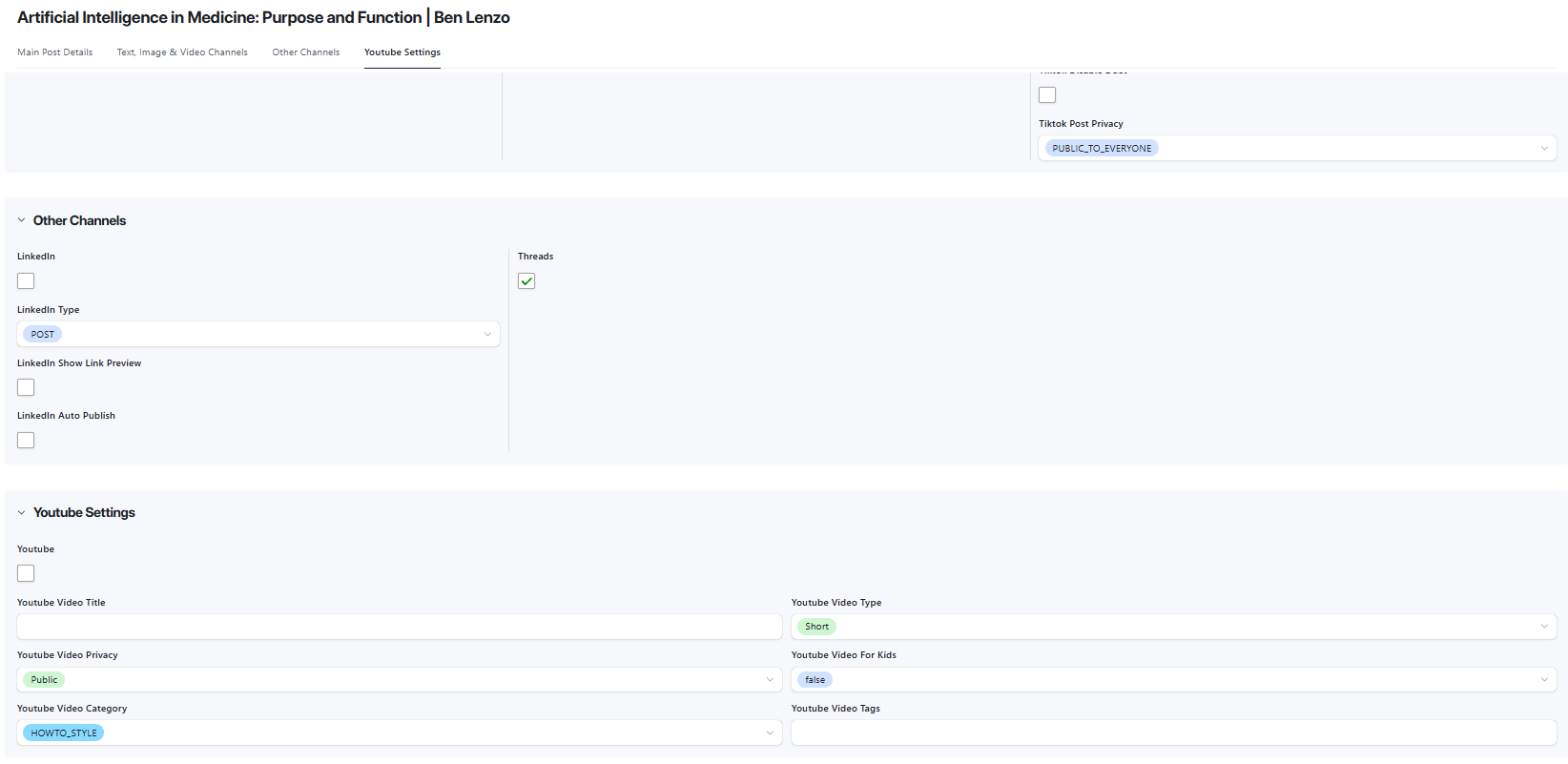
Scheduling Page in Airtable showing Main Post Details, Social Media Channels and Youtube Settings
Results

A single video transcript now produces 15 platform-formatted posts in one automated run. The client reviews, approves, and schedules from a single Airtable interface without touching any other tool until the final send to Metricool.
The brand voice prompt library means every post is pre-calibrated to the client’s documented tone rules before it reaches them for review. Rewrites that previously required starting from scratch now happen in one click with optional context notes.
The AI usage tracker logs every model call with cost and workflow attribution. The client has full visibility into what the system is spending and where.
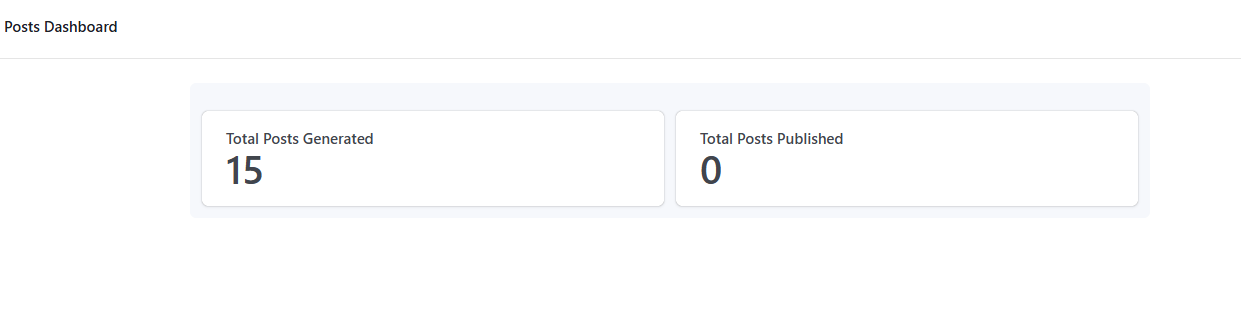 Posts Dashboard in Airtable showing Total Posts Generated (16) and Total Posts Published metrics
How It Worked
Before: Record content. Manually write posts for each platform. Separately find or create images. Schedule one by one. Repeat every week.
After: Add transcript to Airtable. Click Generate Content. Review AI-generated posts in the Content Planning interface. Click Generate Text For Image. Click Generate Post Image. Approve image. Click Go To Scheduling Page. Done.
- Transcript in. Client pastes a video transcript or URL into the Pillar Content table. Sets post counts per platform (e.g. 3 IG, 3 LinkedIn, 3 TikTok). Hits Generate Content.
- AI generates per platform. n8n fires a webhook, fetches the Airtable record, routes to platform-specific OpenAI calls via OpenRouter, and creates individual post records with title, body copy, hashtags, and channel tag.
- Client reviews in one interface. The Content Planning view in Airtable groups all posts by channel. The client can read, approve, or flag for rewrite without leaving the interface.
- Image pipeline runs. For each post needing an image: Generate Text For Image writes the overlay copy. Generate Image Prompt builds the fal.ai prompt. Generate Post Image submits to Gemini 3 Pro Image, polls for completion, and surfaces the result in the Image tab.
- Approve and schedule. Client selects the approved image, sets status to To Approve, and hits Go To Scheduling Page. Send Post to Metricool fires, formats the post with image URL, and submits to the Metricool queue.
- Errors surface automatically. Any workflow failure triggers the Error Logger: record written to Airtable, ClickUp task created with error message and workflow URL for fast resolution.
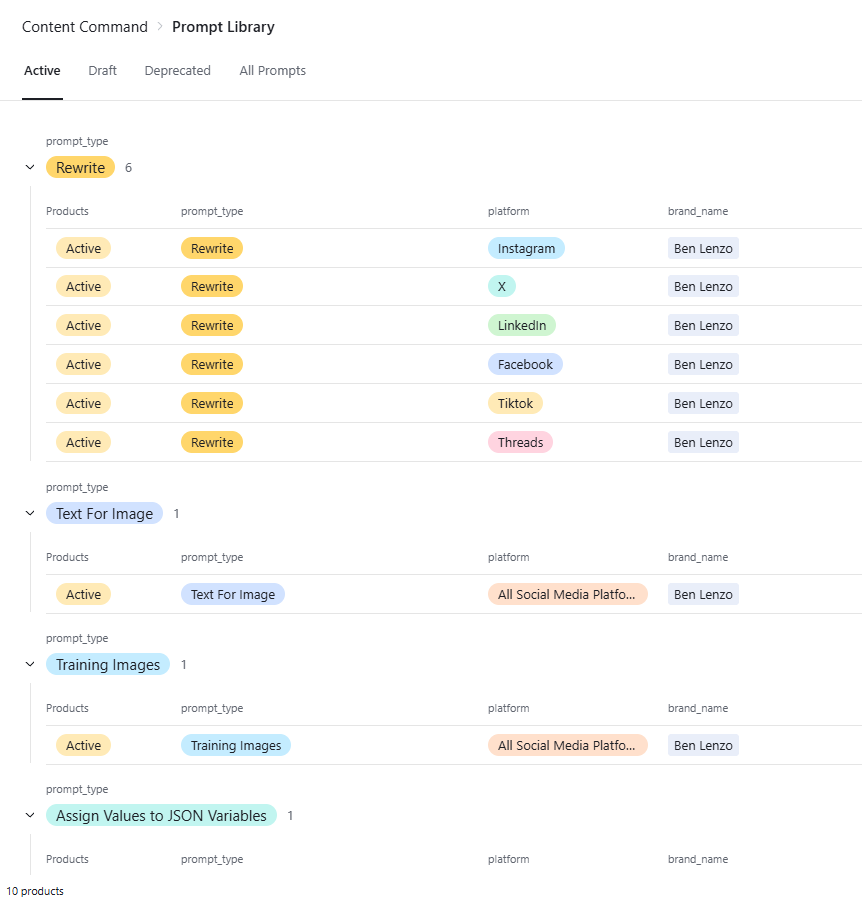
Prompt Library interface in Airtable showing active prompts grouped by type: Rewrite prompts for Instagram, X, LinkedIn, Facebook, TikTok, and Threads; Text For Image prompt; Training Images prompt
Want a System Like This?
If you’re producing content at volume and spending more time on production than creation, this is a solvable problem.
We build AI content automation systems tailored to your brand voice, platforms, and existing tools.